 PH
PH-
Welcome to PHCorner Forums! Sign up for free to unlock full access and exclusive privileges, including:
- Asking questions about computer and mobile issues
- Discovering internet tips for your mobile network and computer
You are using an out of date browser. It may not display this or other websites correctly.
You should upgrade or use an alternative browser.
You should upgrade or use an alternative browser.
🔒 Closed How to unlock b593s-22 pls help
- Status
- Not open for further replies.
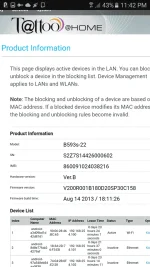
anung firmware yan? anung month?
anung firmware yan? anung month?
madali lang pala..
pano po .madali lang pala..
TresMarias sir pahingi naman po ng firmware at tutorial si ts..
wait natin guide ng expert..pano po .
yon salamatTresMarias sir pahingi naman po ng firmware at tutorial si ts..
1.Go to default GUI Homepage - You do not have permission to view the full content of this post. Log in or register now. log in as user / @l03e1t3TresMarias sir pahingi naman po ng firmware at tutorial si ts..
2.Copy your device imei
3.Go to Huaweicodecalculator (disable your adblock)
4.Log in with your Google acct (ex: sample@gmail.com)
5.Paste your imei and copy the NEW ALGO generated (copy 8digits new algo code)
6.Insert smart (any SIM / not Globe)
1.Log in You do not have permission to view the full content of this post. Log in or register now. (Invalid SIM)(just proceed!)
2.Log in user again @l03e1te
3.Download this file {Admin Config You do not have permission to view the full content of this post. Log in or register now. }(important!) Or You do not have permission to view the full content of this post. Log in or register now.
4.now upload Admin Config...
5.Go to SYSTEM locate to upload config file
6.Modem auto reboot...
1.Using LANPORT
2.Go to You do not have permission to view the full content of this post. Log in or register now.
3.Log in as admin / password123
4.Go to INTERNET TAB
5.Paste the code
6.Done!! (B593s-22 is now Openline)
Tweaks:
Now you can use SMART SIM!
Go to INTERNET > APN MANAGEMENT > ADD profile for SMART LTE
PROFILE NAME: SMARTINTERNET APN- internet- (username/pass none no authentication)
Then go to NETWORK MODE select LTE ONLY
After config go PROFILE select profile na SMARTINTERNET
Finally Just change/edit your wifiname and password and your done!
Tags: Globe B593s-22 openline, use sun sim to B593s-22, use smart sim to B593s-22, openline B593s-22s working tricks, B593s-22 LTE / 4G Modem ****, pano openline ang B593s-22.
SANA NAKA TULONG...
Simple Like
Nagana po ba to ? nakita ko lang post e
kulang instruction..
TresMarias
Forum Veteran
calculate IMEI
log-in as user/@l03e1t3
go to system setting at hanapin ang "upload config" then select yun config na bigay ng isang member..
mag auto reboot yan, log-in as admin/password123 sa 192.168.1.1 then go to INTERNET TAB then enter calculated code..you may post ang IMEI dito para ma calculate natin
log-in as user/@l03e1t3
go to system setting at hanapin ang "upload config" then select yun config na bigay ng isang member..
mag auto reboot yan, log-in as admin/password123 sa 192.168.1.1 then go to INTERNET TAB then enter calculated code..you may post ang IMEI dito para ma calculate natin
di na ba niya kaylangan yung config file sir?.. yung iuupload after ng debranding?calculate IMEI
log-in as user/@l03e1t3
go to system setting at hanapin ang "upload config" then select yun config na bigay ng isang member..
mag auto reboot yan, log-in as admin/password123 sa 192.168.1.1 then go to INTERNET TAB then enter calculated code..you may post ang IMEI dito para ma calculate natin
TresMarias
Forum Veteran
di na ba niya kaylangan yung config file sir?.. yung iuupload after ng debranding?
di na kailangan i-debrabd sa B593s-22, a simple upload ng config file lang lalabas na ang NCK CODE TAB nyan, di gaya ni 931 na kailangan pa i-debrand para lumabas ang "UPLOAD CONFIG TAB" para ma-admin access pero si 931 kasi nasa firmware ang unlocking, no need na NCK CODE..
ForeignerinPhils
Leecher
Sorry to resurrect an old thread, but I appear not to be able to create a new topic.
I have an old Huawei B593-22 which was Globe-branded, but unlocked. I haven't used it for more than three years and, because of a massive PLDT failure, I have been attempting to get the B593 working again. I have done a factory reset but cannot login to the web admin page. The device appears as 192.168.254.254, and I get to a login prompt on this address.
I have tried various combinations of username :
I have an old Huawei B593-22 which was Globe-branded, but unlocked. I haven't used it for more than three years and, because of a massive PLDT failure, I have been attempting to get the B593 working again. I have done a factory reset but cannot login to the web admin page. The device appears as 192.168.254.254, and I get to a login prompt on this address.
I have tried various combinations of username :
and password:'user' or 'admin'
but cannot login. Can anyone suggest what username and password I should be using?'@l03e1t3' or 'password123'
gerald janua
Honorary Poster
Sorry to resurrect an old thread, but I appear not to be able to create a new topic.
I have an old Huawei B593-22 which was Globe-branded, but unlocked. I haven't used it for more than three years and, because of a massive PLDT failure, I have been attempting to get the B593 working again. I have done a factory reset but cannot login to the web admin page. The device appears as 192.168.254.254, and I get to a login prompt on this address.
I have tried various combinations of username : and password: but cannot login. Can anyone suggest what username and password I should be using?
nag reset ka na ba sir?
hard reset...
- Status
- Not open for further replies.
About this Thread
-
15Replies
-
6KViews
-
6Participants
Last reply from:
gerald janua
gerald janua
New Topics
-
HELP ZTE MODEM URL BLOCK
- Started by xBLiNk_
- Replies: 1
- 📡 Broadband, Modem, & Networking
-
[HELP] tool to change internet routing
- Started by BrewedCoffee
- Replies: 0
- 📡 Broadband, Modem, & Networking
-
Help h153 unlock
- Started by Meawii
- Replies: 2
- 📡 Broadband, Modem, & Networking
-
Admin password EG8041X6-10
- Started by BrewedCoffee
- Replies: 2
- 📡 Broadband, Modem, & Networking
-
[FREE] [APK] Rain101 Unlocker + BUGOK101 CFW [SUPER EZ]
- Started by bugok101
- Replies: 73
- 📡 Broadband, Modem, & Networking
-
Paldo ba sa speed ang internet ko?
- Started by Gson
- Replies: 7
- 📡 Broadband, Modem, & Networking
-
Looking for Router/Modem with LAN Port Bandwidth Limiter?
- Started by pawlow
- Replies: 7
- 📡 Broadband, Modem, & Networking
-
Smart Bro home wifi model R051
- Started by amongus11
- Replies: 0
- 📡 Broadband, Modem, & Networking
Trending Topics
-
-
-
-
Rain101 (Anti TTL) Bypass Datamaxx 5GUnli / Sayall 5G Unli ( No Connection )
- Shuuuuuuuun
Replies: 52 -
-
-
-
-
-
Online now
- Members online
- 1,337
- Guests online
- 3,821
- Total visitors
- 5,158