PH
PHWhat does File Recovery do?
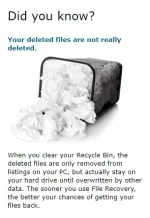
The problem: Mistakes happen – you may have cleared a folder you didn't mean to delete or lost important files due to a virus attack, a system crash or another accident. Whether those are work documents or precious photo memories, losing something so valuable is never fun.
The solution: File Recovery can bring back the files you thought were lost for good. It works with hard drives, USB storage drives and memory cards, recovering all file types, even from lost partitions. No reason to panic when you have such a powerful tool in your arsenal.
Changelog
7.2.0.0 (20/09/2017)
- Made a number of usability improvements so users can enjoy their experience and get better results;
- Resolved all known bugs;
- Some interface changes were made to satisfy newest AppEsteem and antivirus companies' requirements.
System Requirements
Operating System:
Win 10 (32 or 64 bit), Win 8/8.1 (32 or 64 bit),
Win 7 (32 or 64 bit), Vista SP2 (32-bit only),
XP SP3 (32-bit only)
Hard disk space: 15 MB
Memory: 256 MB
Recommended screen resolution: 800x600
DOWNLOAD LINKS
You do not have permission to view the full content of this post. Log in or register now.
You do not have permission to view the full content of this post. Log in or register now.
PS: Don't forget to read the "READ ME" text file. and if ever the p@tcher is getting quarantined by your Anti-Virus, just temporarily disable it until you are done Cr@cking/P@tching the software since it's probably just a false positive detection.
~visit my other threads~