PH
PHloudtronix2015
Honorary Poster
Requirements:
- Android Phone
- USB Cable
- NCK MTK Dongle (cr@cked)
- MTK USB Drivers
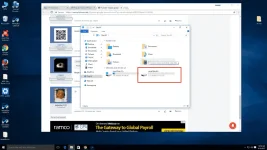
1. Download nyo lang ang NCK MTK Dongle (cr@cked) - No need install at MTK USB Drivers - Install. Dapat yung phone ay 35% battery or pataas.
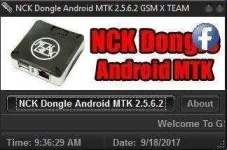
2. Open "Loader NCK MTK.exe" tas may mag prompt. Click OK and click NCK Dongle Android MTK 2.5.6.2.
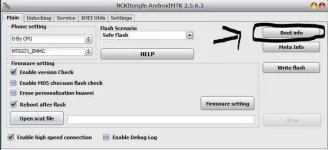
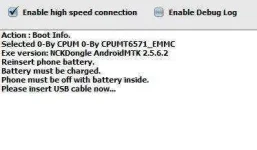
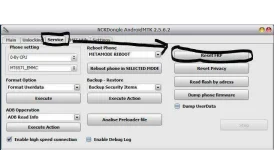
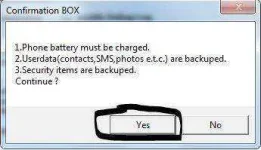
3. Click Boot Info para masure na nadetect ang phone mo sa PC. (Turn off Phone then Press Volume Up and Insert USB Cable) kung na detect na si phone. Pumunta ka sa Service. Tapos Click RESET FRP.
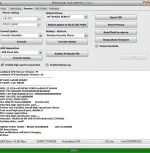
4. Voila! Bypass na ang phone mo sa Google. And It's now ready to use!
(See Attached Screenshots)
Hope this will help mga ka-PHC.
NCK Dongle: Failed - Virus detected
MTK USB Drivers: You do not have permission to view the full content of this post. Log in or register now.
- Android Phone
- USB Cable
- NCK MTK Dongle (cr@cked)
- MTK USB Drivers
1. Download nyo lang ang NCK MTK Dongle (cr@cked) - No need install at MTK USB Drivers - Install. Dapat yung phone ay 35% battery or pataas.
2. Open "Loader NCK MTK.exe" tas may mag prompt. Click OK and click NCK Dongle Android MTK 2.5.6.2.
3. Click Boot Info para masure na nadetect ang phone mo sa PC. (Turn off Phone then Press Volume Up and Insert USB Cable) kung na detect na si phone. Pumunta ka sa Service. Tapos Click RESET FRP.
4. Voila! Bypass na ang phone mo sa Google. And It's now ready to use!
(See Attached Screenshots)
Hope this will help mga ka-PHC.
NCK Dongle: Failed - Virus detected
MTK USB Drivers: You do not have permission to view the full content of this post. Log in or register now.