PH
PHConnectdots
Eternal Poster
Root Android 5.0/5.1 (lollipop) viaKingoRoot.apk Step by Step
- Step 1: Free download You do not have permission to view the full content of this post.
Log in or register now.
You will download it directly to your Android. You can find it in "Download" on your phone.

The download will be automatically started. If Chrome has warned you about KingoRoot.apk, click "OK" to proceed.
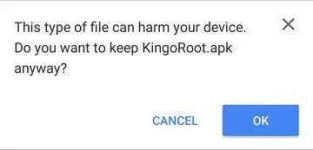
- Step 2: Install the apk file of KingoRoot.
When installing the apk file, you may encounter some issues. Whatever it might be, follow the system instructions.
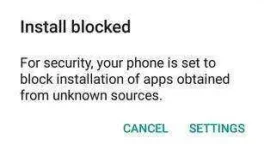
- Install Blocked: Settings > Security > Unknown sources > Check the box and allow.
You device may only accept app installation coming from its native app store, like Google Play or Samsung Apps. The apk file of KingoRoot is directly downloaded from the server of Kingo and will not be able to install on your device unless you allow installing from "Unknow source". -
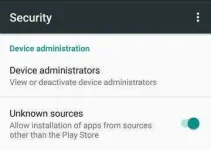
- Harmful App: Settings > Security > Verify apps > Uncheck it.
KingoRoot is an exploit-based root tool. If you have no knowledge of "You do not have permission to view the full content of this post. Log in or register now.", well, you should. Kingo exploits system vulnerabilities in order that your device can be rooted, which will be considered by Google or Manufacturers as a malicious act. But it is your choice to choose, to root or not to root. On kingo's behalf, the only thing we can do is that to make sure of our integrity and leave the choice to you.
- Install Blocked: Settings > Security > Unknown sources > Check the box and allow.
- Step 3: Tap the icon of KingoRoot and press "One Click Root" to begin.
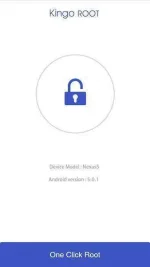
Make sure that you have stable Internet connection when rooting with KingoRoot. It is required because the rooting scipts used are stored in Kingo's server. Without it, Kingo will fail to root your device.
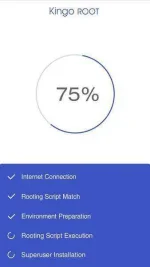
- Step 4: Get the result: succeeded or failed.