 PH
PHDora The Explorer
Forum Guru
Setup own PenTesting Environment in your Kali Linux. Penetration game Tester now plays more than a few years ago, because the Internet is now a work of daily life and habits.
häçkers need a platform where they can attack and penetrate the system of learning ethical häçking. So, Setup own PenTesting Environment.
“How can I practice without going îllégâl or hurting other systems?”
How can we do it?
Just install the penetration test environment.
What are the things we need?
XAMPP Apache Server: You do not have permission to view the full content of this post. Log in or register now.
DVWA: You do not have permission to view the full content of this post. Log in or register now.
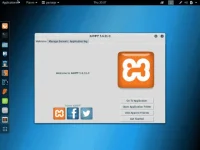
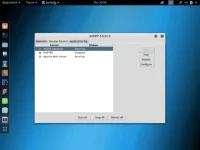
First, download the XAMPP Apache server and install it.
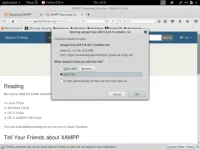
After downloading let’s move that xampp….run file to desktop and follow me.!
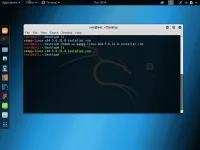
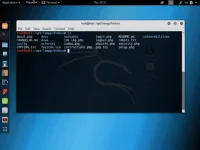
To execute .run file type this:
1
2
3
ls
chmod +x xampp–linux–x64–5.6.31–0–installer.run
./xampp–linux–x64–5.6.31–0–installer.run
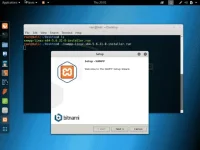
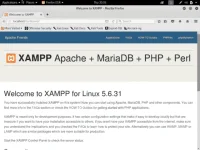
After copying all DVWA files to directory: /opt/lampp/htdocs. It’s time to setup database and config file for DVWA.
Visit: localhost/phpmyadmin and create a new database.
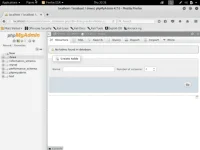
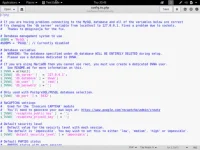
Now we have to add database information to our config file. In directory /opt/lampp/htdocs/config/ we have a file: config.inc.php.dist rename that to config.inc.phpand add database information.
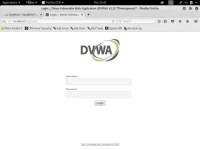
After that visit: localhost / Username: admin / Password: password
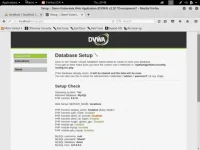
As you can see we’re getting so error we have to fix it.
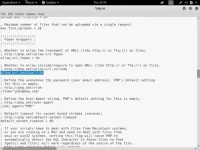
To fix that error locate a php.ini file and edit it. Search for: allow_url_include = Off and change to allow_url_include = On
After making that change you have to restart Apache from xampp control panel and visit localhost again and install.
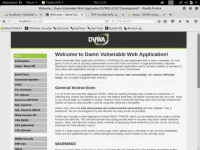
When you’re done with fixing those errors you have to visit localhost/index.php and click on create DB and install from the button and your done!
häçkers need a platform where they can attack and penetrate the system of learning ethical häçking. So, Setup own PenTesting Environment.
“How can I practice without going îllégâl or hurting other systems?”
How can we do it?
Just install the penetration test environment.
What are the things we need?
XAMPP Apache Server: You do not have permission to view the full content of this post. Log in or register now.
DVWA: You do not have permission to view the full content of this post. Log in or register now.
First, download the XAMPP Apache server and install it.
After downloading let’s move that xampp….run file to desktop and follow me.!
To execute .run file type this:
1
2
3
ls
chmod +x xampp–linux–x64–5.6.31–0–installer.run
./xampp–linux–x64–5.6.31–0–installer.run
After copying all DVWA files to directory: /opt/lampp/htdocs. It’s time to setup database and config file for DVWA.
Visit: localhost/phpmyadmin and create a new database.
Now we have to add database information to our config file. In directory /opt/lampp/htdocs/config/ we have a file: config.inc.php.dist rename that to config.inc.phpand add database information.
After that visit: localhost / Username: admin / Password: password
As you can see we’re getting so error we have to fix it.
To fix that error locate a php.ini file and edit it. Search for: allow_url_include = Off and change to allow_url_include = On
After making that change you have to restart Apache from xampp control panel and visit localhost again and install.
When you’re done with fixing those errors you have to visit localhost/index.php and click on create DB and install from the button and your done!
