 PH
PHAlam ko marami na rin ang may alam dito at marami din ang hindi pa alam ito.
Paalala lang walang sino man ang sisisihin kung may hindi magandang nangyari sa inyong device .
.
BETA: All this is still in testing!
- You do not have permission to view the full content of this post. Log in or register now.
- You do not have permission to view the full content of this post. Log in or register now.
NO WARRANTY
Use at your own risk, I'm not responsible for bricking your device.
GET THE RIGHT FILE
Make sure you get the correct file. Using the incorrect file may brick your device.
FLASH COUNTER
If your target device has a custom firmware flash counter, CF-Auto-Root will trigger it. If you're lucky, You do not have permission to view the full content of this post. Log in or register now. has support for your device and can be used to reset the counter.
KNOX WARRANTY
If you have a KNOX-enabled device, using CF-Auto-Root will trip the KNOX WARRANTY VOID status !
ENCRYPTION
Warning: If your device storage is encrypted, using CF-Auto-Root will wipe your data !
ANDROID VERSION
When newer firmwares are released for a certain device, sometimes that firmware includes new bootloaders that prevent kernels based on the old firmwares from booting. This usually coincides with a transition to a newer Android version. In that case, the CF-Auto-Root for download here may no longer work - flashing or booting might fail. It is too much work for me to keep track of all these firmwares, so if you encounter this issue, it is up to you to submit the recovery.img file from the latest firmware for your device to the You do not have permission to view the full content of this post. Log in or register now..
To be clear, just because you have a newer Android version than listed here, does NOT mean the CF-Auto-Root will not work - there's a good chance that it will!
ODIN flashable devices
BASIC INSTRUCTIONS
All downloads contain .tar.md5 files flashable in ODIN as PDA.
Make sure your device is in ODIN download mode (usually you can get there by holding VolDown+Home+Power when the device is turned off), then start the included Odin3-v1.85.exe file, press the PDA button, select the .tar.md5 file, and click Start. You can find more detailed instructions and assistance at XDA.
A modified recovery and cache partition will be flashed, which will install (only) SuperSU, then clean-up the cache partition and re-flash the stock recovery.
For the root to work, the device must reboot into recovery. Most devices will do this automatically after flashing these files, but in case that does not happen, please boot into recovery manually.
UNLOCK BOOTLOADERS
If you have locked bootloaders, flashing one of these will probably brick your device - with the exception of Nexus devices, which will usually automatically "OEM unlock" and wipe your data !
Fastboot flashable devices
BASIC INSTRUCTIONS
All downloads contain .img files bootable through Fastboot.
Make sure your device is in Fastboot mode (usually you can get there by holding VolUp+VolDown+Power when the device is turned off), then run the included script for your OS. On Linux and Mac, you may have to chmod +x root-linux/mac.sh before the script does anything.
A special boot image will load, which will install (only) SuperSU, then reboot into Android.
UNLOCK BOOTLOADERS
The included scripts perform an "OEM unlock". If this fails, the root will not work. If it succeeds, and you were not previously unlocked (first time rooting ?), it will probably wipe your data !
For some device (Sony, Verizon, etc) you may need an OEM-specific tool to unlock the bootloader. Please do not forget to check and use this tool, if provided by the OEM
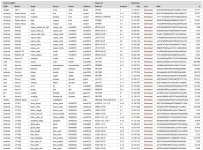
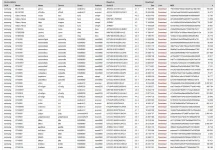
NOTE:Hindi lahat ng Samsung units or other brands ay andiyan.
Enjoy rooting
here: You do not have permission to view the full content of this post. Log in or register now.
Paalala lang walang sino man ang sisisihin kung may hindi magandang nangyari sa inyong device
.BETA: All this is still in testing!
- You do not have permission to view the full content of this post. Log in or register now.
- You do not have permission to view the full content of this post. Log in or register now.
NO WARRANTY
Use at your own risk, I'm not responsible for bricking your device.
GET THE RIGHT FILE
Make sure you get the correct file. Using the incorrect file may brick your device.
FLASH COUNTER
If your target device has a custom firmware flash counter, CF-Auto-Root will trigger it. If you're lucky, You do not have permission to view the full content of this post. Log in or register now. has support for your device and can be used to reset the counter.
KNOX WARRANTY
If you have a KNOX-enabled device, using CF-Auto-Root will trip the KNOX WARRANTY VOID status !
ENCRYPTION
Warning: If your device storage is encrypted, using CF-Auto-Root will wipe your data !
ANDROID VERSION
When newer firmwares are released for a certain device, sometimes that firmware includes new bootloaders that prevent kernels based on the old firmwares from booting. This usually coincides with a transition to a newer Android version. In that case, the CF-Auto-Root for download here may no longer work - flashing or booting might fail. It is too much work for me to keep track of all these firmwares, so if you encounter this issue, it is up to you to submit the recovery.img file from the latest firmware for your device to the You do not have permission to view the full content of this post. Log in or register now..
To be clear, just because you have a newer Android version than listed here, does NOT mean the CF-Auto-Root will not work - there's a good chance that it will!
ODIN flashable devices
BASIC INSTRUCTIONS
All downloads contain .tar.md5 files flashable in ODIN as PDA.
Make sure your device is in ODIN download mode (usually you can get there by holding VolDown+Home+Power when the device is turned off), then start the included Odin3-v1.85.exe file, press the PDA button, select the .tar.md5 file, and click Start. You can find more detailed instructions and assistance at XDA.
A modified recovery and cache partition will be flashed, which will install (only) SuperSU, then clean-up the cache partition and re-flash the stock recovery.
For the root to work, the device must reboot into recovery. Most devices will do this automatically after flashing these files, but in case that does not happen, please boot into recovery manually.
UNLOCK BOOTLOADERS
If you have locked bootloaders, flashing one of these will probably brick your device - with the exception of Nexus devices, which will usually automatically "OEM unlock" and wipe your data !
Fastboot flashable devices
BASIC INSTRUCTIONS
All downloads contain .img files bootable through Fastboot.
Make sure your device is in Fastboot mode (usually you can get there by holding VolUp+VolDown+Power when the device is turned off), then run the included script for your OS. On Linux and Mac, you may have to chmod +x root-linux/mac.sh before the script does anything.
A special boot image will load, which will install (only) SuperSU, then reboot into Android.
UNLOCK BOOTLOADERS
The included scripts perform an "OEM unlock". If this fails, the root will not work. If it succeeds, and you were not previously unlocked (first time rooting ?), it will probably wipe your data !
For some device (Sony, Verizon, etc) you may need an OEM-specific tool to unlock the bootloader. Please do not forget to check and use this tool, if provided by the OEM
NOTE:Hindi lahat ng Samsung units or other brands ay andiyan.
Enjoy rooting
here: You do not have permission to view the full content of this post. Log in or register now.