 PH
PHSerenitylove
Forum Master
How to update android software

Android is the largest used software that is operating system in mobiles. Android keeps on coming on with new versions. All the updates have some fixes in previous errors and sometimes the new version is better than the previous one. So updating android is
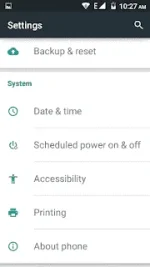

Android is the largest used software that is operating system in mobiles. Android keeps on coming on with new versions. All the updates have some fixes in previous errors and sometimes the new version is better than the previous one. So updating android is
- Click software update and it will check for update.
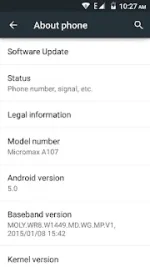
- Once it finds out update click ok.

- It will start downloading update , so wait till update is downloaded.
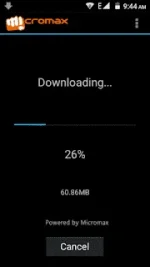
- Once downloaded, it will ask you whether you want to install or not. so click ok.

- It will reboot . Do not interrupt it at all.
- After reboot , a android image will appear and let it install all the update files.
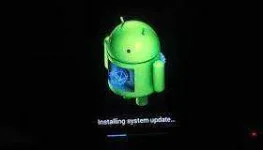
- Then wait till your phone starts. Do not interrupt. It will take a long time to start.
- Thats it your android is now updated.