PH
PHGoogle Chrome is a freeware web browser developed by Google. It was first released in 2008, for Microsoft Windows, and was later ported to Linux, macOS, iOS and Android.
Share ko lang to kasi nahirapan akong mag download ng browser gamit ang porxy setting. Mahigpit kasi ang security sa ibang sites.
Okay simulan na natin....
required apps
*Internet explorer (any browser na pwedeng maka pag browse sa internet)
*IDM- Internet download manager
step 1.
go to this link:
You do not have permission to view the full content of this post. Log in or register now.
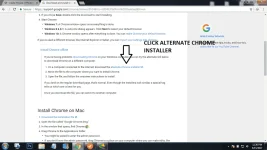
go to Install chrome offline and click alternate chrome installer

Step 2.
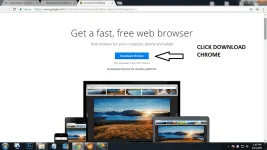
Click download chrome (choose 32/64 bit depende kung anong version ng system mo)

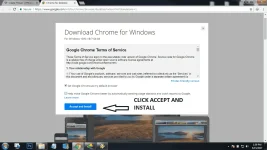
Click accept and install
wait a few seconds at magdadownload na ang google chrome standalone setup mo.

Step 3.
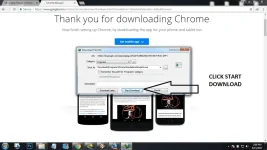
Click Start download and wait for download to finish. There you go you have the google chrome standalone setup dapat 47.4 MB yan sensya di makita sa thumbnail kasi mabagal internet connection ko.

Keep sharing... God bless phcorner!
Share ko lang to kasi nahirapan akong mag download ng browser gamit ang porxy setting. Mahigpit kasi ang security sa ibang sites.
Okay simulan na natin....
required apps
*Internet explorer (any browser na pwedeng maka pag browse sa internet)
*IDM- Internet download manager
step 1.
go to this link:
You do not have permission to view the full content of this post. Log in or register now.
go to Install chrome offline and click alternate chrome installer
Step 2.
Click download chrome (choose 32/64 bit depende kung anong version ng system mo)
Click accept and install
wait a few seconds at magdadownload na ang google chrome standalone setup mo.
Step 3.
Click Start download and wait for download to finish. There you go you have the google chrome standalone setup dapat 47.4 MB yan sensya di makita sa thumbnail kasi mabagal internet connection ko.
Keep sharing... God bless phcorner!