 PH
PHzkrittlez_1337
Forum Veteran
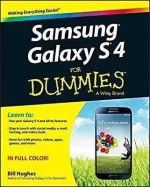
Samsung Galaxy S 4 FOR DUMMIES
Description
Product Description
Explore a world of possibilities with your Samsung Galaxy S 4 smartphone
Everything’s more exciting when you’ve got the Galaxy in your hand. Let For Dummies be your guide to getting the most out of your Galaxy S 4. You’ll cruise through the smartphone basics and set up process before moving on to the fun stuff like staying in touch with e-mail and texting, surfing the web, navigating with maps, shooting and sharing photos and video, watching movies, listening to music, and so much more. Whether you’re entering the smartphone world for the first time or just moving up to the Galaxy S 4, you’ll stay on course with this one-of-a-kind reference.
- Provides easy-to-understand advice to help you find your way around your Galaxy S 4 smartphone, get to know all the built-in features, and start making calls
- Explains the Galaxy S 4 features using full-color screenshots and images and step-by-step instructions on accessing the Internet, sending and receiving e-mail, texting, taking photos, recording videos, downloading apps, managing your calendar, and organizing your contacts
- Shows you easy ways to customize your Galaxy S 4 for your needs with cool apps and accessories
Review
Samsung Galaxy S4 For Dummies is definitely a book recommended for any aspiring to ditch their old phones and looking to get a smart phone such as the Galaxy S4. (Gadgetsboy, November, 2013)
From the Back Cover
Embrace your Galaxy S 4 and start experiencing the world in a whole new way
Your Galaxy S 4 is one of the smartest smartphones in existence. Learn how to tap into all its power! First, master the screen, keyboard, and buttons. Then move on to talking, texting, using e-mail, accessing websites, and shopping for apps. From photos to games, music to movies, Office apps to useful maps, and more, you'll be exploring the Galaxy in no time!
- Check your carrier see why your wireless carrier is so important to a happy Galaxy S 4 experience
- Communicate make calls, send texts, send and receive e-mail, manage your contacts, and sync contact databases
- The web in your hands set up your browser, use bookmarks, search with Google, and shop for Android apps
- Have more fun take and manage photos, enjoy Play Store games, navigate with Maps, play music, and watch videos
- Be productive keep your schedule with the Calendar, create and edit documents, and use S-Voice to update Facebook
- Cool features unique to the Galaxy S 4
- How your cellular carrier figures your bill
- Important information about making emergency calls
- Steps for setting up a business e-mail account
- Great Android apps you should take for a test run
- Hints for taking better photos with your phone
- GPS essentials
- How to access Internet radio
- Use your Galaxy S 4 and all its features
- Stay in touch with social media, e-mail, texting, and video chats
- Have fun with photos, videos, apps, games, and more
About the Author
Bill Hughes is a veteran marketing strategist with more than 20 years of experience in sales, strategic marketing, and business development. He has held positions at IBM, General Electric, Motorola, and U. S. WEST Cellular, and assisted Microsoft in enhancing its marketing to mobile app developers.
File Size: 43+ MB
Download:
You do not have permission to view the full content of this post. Log in or register now.