 PH
PHHow to use HTTP Proxy Injector 101
Step 1. Open Http injector. (see the ss below)
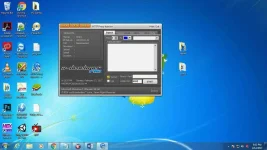
Step 2. Click File>Import Config (see the ss below)
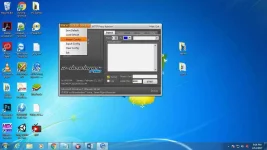
Step 3. Another window will Pop Up! Find a config and choose any config you want to use.
In my case I will choose [USA Quadra Config] as an example for this tutorial. (see the ss below)
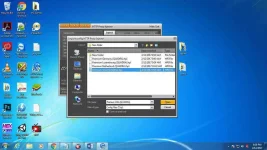
Step 4. Click Open and it will automatically import the Config! (see the ss below)
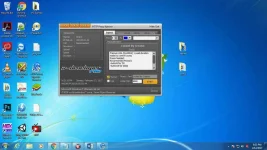
Step 5. Tick the tunnel [Tunnel box] and the [Log box] and also click the Bitvise /Plink. (see the ss below)
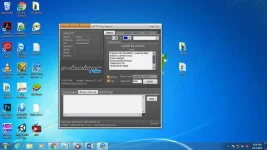
Step 6. Open your Internet don’t get it wrong. I use Sun Bro but it’s open line already so I can input any sim I wanted. (see the ss below)
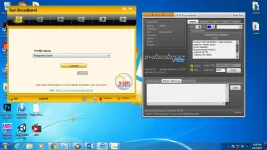
Step 7. Connect your Broad Band, start your Http Proxy Injector and wait a few seconds to say it’s Connected! (see the ss below)
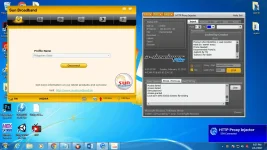
Well Done! You can now start Browsing, Downloading or anything you want in your internet!.
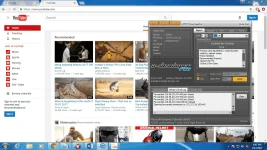
Need hpi. to inject ? Visit CLICK HERE
Internet used to upload:
PLDTHOMEFibr
Free Hit & Run tayo dito !
[Copy rights 2017]
- Before it begins install nyo muna to HTTP Proxy Injector You do not have permission to view the full content of this post. Log in or register now. (Pili lang kayo sa apat )
Step 1. Open Http injector. (see the ss below)
Step 2. Click File>Import Config (see the ss below)
Step 3. Another window will Pop Up! Find a config and choose any config you want to use.
In my case I will choose [USA Quadra Config] as an example for this tutorial. (see the ss below)
Step 4. Click Open and it will automatically import the Config! (see the ss below)
Step 5. Tick the tunnel [Tunnel box] and the [Log box] and also click the Bitvise /Plink. (see the ss below)
Step 6. Open your Internet don’t get it wrong. I use Sun Bro but it’s open line already so I can input any sim I wanted. (see the ss below)
Step 7. Connect your Broad Band, start your Http Proxy Injector and wait a few seconds to say it’s Connected! (see the ss below)
Well Done! You can now start Browsing, Downloading or anything you want in your internet!.
Need hpi. to inject ? Visit CLICK HERE
Internet used to upload:
PLDTHOMEFibr
Free Hit & Run tayo dito !
[Copy rights 2017]
