 PH
PHryanpaul17
Honorary Poster
Sp Flash tool:
You do not have permission to view the full content of this post. Log in or register now.
Install Driver using Auto Installer Driver:
You do not have permission to view the full content of this post. Log in or register now.
Install Driver Using MediaTek USB VCOM drivers
You do not have permission to view the full content of this post. Log in or register now.
Cm Life Stock rom:
You do not have permission to view the full content of this post. Log in or register now.
open spflasf tool
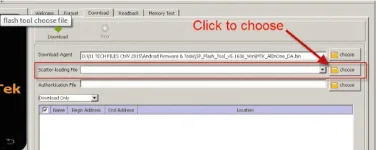
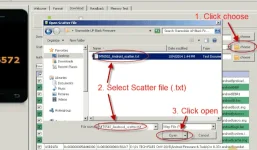 choose scatter file
In your phone turn off first, or remove battery (if removable) because turn off is a must.
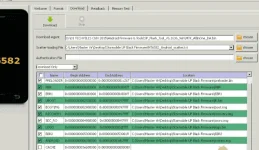
In flash tool Select Download Only Then click Download button
In your phone Press Volume up or Down or you can press them both Then insert USB Cable. If you see a Red Progress bar then the phone is detected.
After you see detected proceed next step
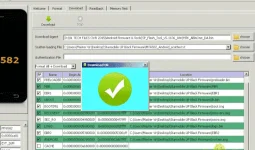
You do not have permission to view the full content of this post. Log in or register now.
Install Driver using Auto Installer Driver:
You do not have permission to view the full content of this post. Log in or register now.
Install Driver Using MediaTek USB VCOM drivers
You do not have permission to view the full content of this post. Log in or register now.
Cm Life Stock rom:
You do not have permission to view the full content of this post. Log in or register now.
open spflasf tool
choose scatter file In your phone turn off first, or remove battery (if removable) because turn off is a must.
In flash tool Select Download Only Then click Download button
In your phone Press Volume up or Down or you can press them both Then insert USB Cable. If you see a Red Progress bar then the phone is detected.
After you see detected proceed next step