PH
PHGoodeve maam/sir
gusto ko talaga matuto..
###############################################################################
# OpenVPN 2.0 Sample Configuration File
# for PacketiX VPN / SoftEther VPN Server
#
# !!! AUTO-GENERATED BY SOFTETHER VPN SERVER MANAGEMENT TOOL !!!
#
# !!! YOU HAVE TO REVIEW IT BEFORE USE AND MODIFY IT AS NECESSARY !!!
#
# This configuration file is auto-generated. You might use this config file
# in order to connect to the PacketiX VPN / SoftEther VPN Server.
# However, before you try it, you should review the descriptions of the file
# to determine the necessity to modify to suitable for your real environment.
# If necessary, you have to modify a little adequately on the file.
# For example, the IP address or the hostname as a destination VPN Server
# should be confirmed.
#
# Note that to use OpenVPN 2.0, you have to put the certification file of
# the destination VPN Server on the OpenVPN Client computer when you use this
# config file. Please refer the below descriptions carefully.
###############################################################################
# Specify the type of the layer of the VPN connection.
#
# To connect to the VPN Server as a "Remote-Access VPN Client PC",
# specify 'dev tun'. (Layer-3 IP Routing Mode)
#
# To connect to the VPN Server as a bridging equipment of "Site-to-Site VPN",
# specify 'dev tap'. (Layer-2 Ethernet Bridgine Mode)
dev tun
###############################################################################
# Specify the underlying protocol beyond the Internet.
# Note that this setting must be correspond with the listening setting on
# the VPN Server.
#
# Specify either 'proto tcp' or 'proto udp'.
proto tcp
###############################################################################
# The destination hostname / IP address, and port number of
# the target VPN Server.
#
# You have to specify as 'remote <HOSTNAME> <PORT>'. You can also
# specify the IP address instead of the hostname.
#
# Note that the auto-generated below hostname are a "auto-detected
# IP address" of the VPN Server. You have to confirm the correctness
# beforehand.
#
# When you want to connect to the VPN Server by using TCP protocol,
# the port number of the destination TCP port should be same as one of
# the available TCP listeners on the VPN Server.
#
# When you use UDP protocol, the port number must same as the configuration
# setting of "OpenVPN Server Compatible Function" on the VPN Server.
remote vpn417541170.opengw.net 1768
###############################################################################
# The HTTP/HTTPS proxy setting.
#
# Only if you have to use the Internet via a proxy, uncomment the below
# two lines and specify the proxy address and the port number.
# In the case of using proxy-authentication, refer the OpenVPN manual.
;http-proxy-retry
;http-proxy [proxy server] [proxy port]
###############################################################################
# The encryption and authentication algorithm.
#
# Default setting is good. Modify it as you prefer.
# When you specify an unsupported algorithm, the error will occur.
#
# The supported algorithms are as follows:
# cipher: [NULL-CIPHER] NULL AES-128-CBC AES-192-CBC AES-256-CBC BF-CBC
# CAST-CBC CAST5-CBC DES-CBC DES-EDE-CBC DES-EDE3-CBC DESX-CBC
# RC2-40-CBC RC2-64-CBC RC2-CBC
# auth: SHA SHA1 MD5 MD4 RMD160
cipher AES-128-CBC
auth SHA1
###############################################################################
# Other parameters necessary to connect to the VPN Server.
#
# It is not recommended to modify it unless you have a particular need.
resolv-retry infinite
nobind
persist-key
persist-tun
client
verb 3
#auth-user-pass
###############################################################################
# The certificate file of the destination VPN Server.
#
# The CA certificate file is embedded in the inline format.
# You can replace this CA contents if necessary.
# Please note that if the server certificate is not a self-signed, you have to
# specify the signer's root certificate (CA) here.
<ca>
-----BEGIN CERTIFICATE-----
MIIF2DCCA8CgAwIBAgIQTKr5yttjb+Af907YWwOGnTANBgkqhkiG9w0BAQwFADCB
hTELMAkGA1UEBhMCR0IxGzAZBgNVBAgTEkdyZWF0ZXIgTWFuY2hlc3RlcjEQMA4G
A1UEBxMHU2FsZm9yZDEaMBgGA1UEChMRQ09NT0RPIENBIExpbWl0ZWQxKzApBgNV
BAMTIkNPTU9ETyBSU0EgQ2VydGlmaWNhdGlvbiBBdXRob3JpdHkwHhcNMTAwMTE5
MDAwMDAwWhcNMzgwMTE4MjM1OTU5WjCBhTELMAkGA1UEBhMCR0IxGzAZBgNVBAgT
EkdyZWF0ZXIgTWFuY2hlc3RlcjEQMA4GA1UEBxMHU2FsZm9yZDEaMBgGA1UEChMR
Q09NT0RPIENBIExpbWl0ZWQxKzApBgNVBAMTIkNPTU9ETyBSU0EgQ2VydGlmaWNh
dGlvbiBBdXRob3JpdHkwggIiMA0GCSqGSIb3DQEBAQUAA4ICDwAwggIKAoICAQCR
6FSS0gpWsawNJN3Fz0RndJkrN6N9I3AAcbxT38T6KhKPS38QVr2fcHK3YX/JSw8X
pz3jsARh7v8Rl8f0hj4K+j5c+ZPmNHrZFGvnnLOFoIJ6dq9xkNfs/Q36nGz637CC
9BR++b7Epi9Pf5l/tfxnQ3K9DADWietrLNPtj5gcFKt+5eNu/Nio5JIk2kNrYrhV
/erBvGy2i/MOjZrkm2xpmfh4SDBF1a3hDTxFYPwyllEnvGfDyi62a+pGx8cgoLEf
Zd5ICLqkTqnyg0Y3hOvozIFIQ2dOciqbXL1MGyiKXCJ7tKuY2e7gUYPDCUZObT6Z
+pUX2nwzV0E8jVHtC7ZcryxjGt9XyD+86V3Em69FmeKjWiS0uqlWPc9vqv9JWL7w
qP/0uK3pN/u6uPQLOvnoQ0IeidiEyxPx2bvhiWC4jChWrBQdnArncevPDt09qZah
SL0896+1DSJMwBGB7FY79tOi4lu3sgQiUpWAk2nojkxl8ZEDLXB0AuqLZxUpaVIC
u9ffUGpVRr+goyhhf3DQw6KqLCGqR84onAZFdr+CGCe01a60y1Dma/RMhnEw6abf
Fobg2P9A3fvQQoh/ozM6LlweQRGBY84YcWsr7KaKtzFcOmpH4MN5WdYgGq/yapiq
crxXStJLnbsQ/LBMQeXtHT1eKJ2czL+zUdqnR+WEUwIDAQABo0IwQDAdBgNVHQ4E
FgQUu69+Aj36pvE8hI6t7jiY7NkyMtQwDgYDVR0PAQH/BAQDAgEGMA8GA1UdEwEB
/wQFMAMBAf8wDQYJKoZIhvcNAQEMBQADggIBAArx1UaEt65Ru2yyTUEUAJNMnMvl
wFTPoCWOAvn9sKIN9SCYPBMtrFaisNZ+EZLpLrqeLppysb0ZRGxhNaKatBYSaVqM
4dc+pBroLwP0rmEdEBsqpIt6xf4FpuHA1sj+nq6PK7o9mfjYcwlYRm6mnPTXJ9OV
2jeDchzTc+CiR5kDOF3VSXkAKRzH7JsghäçkaVd4sjn8OoSgtZx8jb8uk2Intzna
FxiuvTwJaP+EmzzV1gsD41eeFPfR60/IvYcjt7ZJQ3mFXLrrkguhxuhoqEwWsRqZ
CuhTLJK7oQkYdQxlqHvLI7cawiiFwxv/0Cti76R7CZGYZ4wUAc1oBmpjIXUDgIiK
boHGhfKppC3n9KUkEEeDys30jXlYsQab5xoq2Z0B15R97QNKyvDb6KkBPvVWmcke
jkk9u+UJueBPSZI9FoJAzMxZxuY67RIuaTxslbH9qh17f4a+Hg4yRvv7E491f0yL
S0Zj/gA0QHDBw7mh3aZw4gSzQbzpgJHqZJx64SIDqZxubw5lT2yHh17zbqD5daWb
QOhTsiedSrnAdyGN/4fy3ryM7xfft0kL0fJuMAsaDk527RH89elWsn2/x20Kk4yl
0MC2Hb46TpSi125sC8KKfPog88Tk5c0NqMuRkrF8hey1FGlmDoLnzc7ILaZRfyHB
NVOFBkpdn627G190
-----END CERTIFICATE-----
</ca>
###############################################################################
# The client certificate file (dummy).
#
# In some implementations of OpenVPN Client software
# (for example: OpenVPN Client for iOS),
# a pair of client certificate and private key must be included on the
# configuration file due to the limitation of the client.
# So this sample configuration file has a dummy pair of client certificate
# and private key as follows.
<cert>
-----BEGIN CERTIFICATE-----
MIICxjCCAa4CAQAwDQYJKoZIhvcNAQEFBQAwKTEaMBgGA1UEAxMRVlBOR2F0ZUNs
aWVudENlcnQxCzAJBgNVBAYTAkpQMB4XDTEzMDIxMTAzNDk0OVoXDTM3MDExOTAz
MTQwN1owKTEaMBgGA1UEAxMRVlBOR2F0ZUNsaWVudENlcnQxCzAJBgNVBAYTAkpQ
MIIBIjANBgkqhkiG9w0BAQEFAAOCAQ8AMIIBCgKCAQEA5h2lgQQYUjwoKYJbzVZA
5VcIGd5otPc/qZRMt0KItCFA0s9RwReNVa9fDRFLRBhcITOlv3FBcW3E8h1Us7RD
4W8GmJe8zapJnLsD39OSMRCzZJnczW4OCH1PZRZWKqDtjlNca9AF8a65jTmlDxCQ
CjntLIWk5OLLVkFt9/tScc1GDtci55ofhaNAYMPiH7V8+1g66pGHXAoWK6AQVH67
XCKJnGB5nlQ+HsMYPV/O49Ld91ZN/2tHkcaLLyNtywxVPRSsRh480jju0fcCsv6h
p/0yXnTB//mWutBGpdUlIbwiITbAmrsbYnjigRvnPqX1RNJUbi9Fp6C2c/HIFJGD
ywIDAQABMA0GCSqGSIb3DQEBBQUAA4IBAQChO5hgcw/4oWfoEFLu9kBa1B//kxH8
hQkChVNn8BRC7Y0URQitPl3DKEed9URBDdg2KOAz77bb6ENPiliD+a38UJHIRMqe
UBHhllOHIzvDhHFbaovALBQceeBzdkQxsKQESKmQmR832950UCovoyRB61UyAV7h
+mZhYPGRKXKSJI6s0Egg/Cri+Cwk4bjJfrb5hVse11yh4D9MHhwSfCOH+0z4hPUT
Fku7dGavURO5SVxMn/sL6En5D+oSeXkadHpDs+Airym2YHh15h0+jPSOoR6yiVp/
6zZeZkrN43kuS73KpKDFjfFPh8t4r1gOIjttkNcQqBccusnplQ7HJpsk
-----END CERTIFICATE-----
</cert>
<key>
-----BEGIN RSA PRIVATE KEY-----
MIIEpAIBAAKCAQEA5h2lgQQYUjwoKYJbzVZA5VcIGd5otPc/qZRMt0KItCFA0s9R
wReNVa9fDRFLRBhcITOlv3FBcW3E8h1Us7RD4W8GmJe8zapJnLsD39OSMRCzZJnc
zW4OCH1PZRZWKqDtjlNca9AF8a65jTmlDxCQCjntLIWk5OLLVkFt9/tScc1GDtci
55ofhaNAYMPiH7V8+1g66pGHXAoWK6AQVH67XCKJnGB5nlQ+HsMYPV/O49Ld91ZN
/2tHkcaLLyNtywxVPRSsRh480jju0fcCsv6hp/0yXnTB//mWutBGpdUlIbwiITbA
mrsbYnjigRvnPqX1RNJUbi9Fp6C2c/HIFJGDywIDAQABAoIBAERV7X5AvxA8uRiK
k8SIpsD0dX1pJOMIwakUVyvc4EfN0DhKRNb4rYoSiEGTLyzLpyBc/A28Dlkm5eOY
fjzXfYkGtYi/Ftxkg3O9vcrMQ4+6i+uGHaIL2rL+s4MrfO8v1xv6+Wky33EEGCou
QiwVGRFQXnRoQ62NBCFbUNLhmXwdj1akZzLU4p5R4zA3QhdxwEIatVLt0+7owLQ3
lP8sfXhppPOXjTqMD4QkYwzPAa8/zF7acn4kryrUP7Q6PAfd0zEVqNy9ZCZ9ffho
zXedFj486IFoc5gnTp2N6jsnVj4LCGIhlVHlYGozKKFqJcQVGsHCqq1oz2zjW6LS
oRYIHgECgYEA8zZrkCwNYSXJuODJ3m/hOLVxcxgJuwXoiErWd0E42vPanjjVMhnt
KY5l8qGMJ6FhK9LYx2qCrf/E0XtUAZ2wVq3ORTyGnsMWre9tLYs55X+ZN10Tc75z
4hacbU0hqKN1HiDmsMRY3/2NaZHoy7MKnwJJBaG48l9CCTlVwMHocIECgYEA8jby
dGjxTH+6XHWNizb5SRbZxAnyEeJeRwTMh0gGzwGPpH/sZYGzyu0SySXWCnZh3Rgq
5uLlNxtrXrljZlyi2nQdQgsq2YrWUs0+zgU+22uQsZpSAftmhVrtvet6MjVjbByY
DADciEVUdJYIXk+qnFUJyeroLIkTj7WYKZ6RjksCgYBoCFIwRDeg42oK89RFmnOr
LymNAq4+2oMhsWlVb4ejWIWeAk9nc+GXUfrXszRhS01mUnU5r5ygUvRcarV/T3U7
TnMZ+I7Y4DgWRIDd51znhxIBtYV5j/C/t85HjqOkH+8b6RTkbchaX3mau7fpUfds
Fq0nhIq42fhEO8srfYYwgQKBgQCyhi1N/8taRwpk+3/IDEzQwjbfdzUkWWSDk9Xs
H/pkuRHWfTMP3flWqEYgW/LW40peW2HDq5imdV8+AgZxe/XMbaji9Lgwf1RY005n
KxaZQz7yqHupWlLGF68DPHxkZVVSagDnV/sztWX6SFsCqFVnxIXifXGC4cW5Nm9g
va8q4QKBgQCEhLVeUfdwKvkZ94g/GFz731Z2hrdVhgMZaU/u6t0V95+YezPNCQZB
wmE9Mmlbq1emDeROivjCfoGhR3kZXW1pTKlLh6ZMUQUOpptdXva8XxfoqQwa3enA
M7muBbF0XN7VO80iJPv+PmIZdEIAkpwKfi201YB+BafCIuGxIF50Vg==
-----END RSA PRIVATE KEY-----
</key>
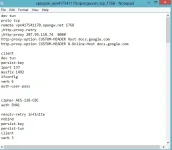
meron na akong RP po..
meron na akong payload..
nung nilagay ko yung RP ko dito.
;http-proxy [proxy server] [proxy port]
output
;http-proxy 46.101.168.186 5292 <---- need pa ba tanggalin ang semi colon?
tapos ano ilalagay ;http-proxy-retry <----- dito?
please help. nahihirapan na akong mag tira chamba, di pa rin ako maka connect.. ahahaha
salamat..
gusto ko talaga matuto..
###############################################################################
# OpenVPN 2.0 Sample Configuration File
# for PacketiX VPN / SoftEther VPN Server
#
# !!! AUTO-GENERATED BY SOFTETHER VPN SERVER MANAGEMENT TOOL !!!
#
# !!! YOU HAVE TO REVIEW IT BEFORE USE AND MODIFY IT AS NECESSARY !!!
#
# This configuration file is auto-generated. You might use this config file
# in order to connect to the PacketiX VPN / SoftEther VPN Server.
# However, before you try it, you should review the descriptions of the file
# to determine the necessity to modify to suitable for your real environment.
# If necessary, you have to modify a little adequately on the file.
# For example, the IP address or the hostname as a destination VPN Server
# should be confirmed.
#
# Note that to use OpenVPN 2.0, you have to put the certification file of
# the destination VPN Server on the OpenVPN Client computer when you use this
# config file. Please refer the below descriptions carefully.
###############################################################################
# Specify the type of the layer of the VPN connection.
#
# To connect to the VPN Server as a "Remote-Access VPN Client PC",
# specify 'dev tun'. (Layer-3 IP Routing Mode)
#
# To connect to the VPN Server as a bridging equipment of "Site-to-Site VPN",
# specify 'dev tap'. (Layer-2 Ethernet Bridgine Mode)
dev tun
###############################################################################
# Specify the underlying protocol beyond the Internet.
# Note that this setting must be correspond with the listening setting on
# the VPN Server.
#
# Specify either 'proto tcp' or 'proto udp'.
proto tcp
###############################################################################
# The destination hostname / IP address, and port number of
# the target VPN Server.
#
# You have to specify as 'remote <HOSTNAME> <PORT>'. You can also
# specify the IP address instead of the hostname.
#
# Note that the auto-generated below hostname are a "auto-detected
# IP address" of the VPN Server. You have to confirm the correctness
# beforehand.
#
# When you want to connect to the VPN Server by using TCP protocol,
# the port number of the destination TCP port should be same as one of
# the available TCP listeners on the VPN Server.
#
# When you use UDP protocol, the port number must same as the configuration
# setting of "OpenVPN Server Compatible Function" on the VPN Server.
remote vpn417541170.opengw.net 1768
###############################################################################
# The HTTP/HTTPS proxy setting.
#
# Only if you have to use the Internet via a proxy, uncomment the below
# two lines and specify the proxy address and the port number.
# In the case of using proxy-authentication, refer the OpenVPN manual.
;http-proxy-retry
;http-proxy [proxy server] [proxy port]
###############################################################################
# The encryption and authentication algorithm.
#
# Default setting is good. Modify it as you prefer.
# When you specify an unsupported algorithm, the error will occur.
#
# The supported algorithms are as follows:
# cipher: [NULL-CIPHER] NULL AES-128-CBC AES-192-CBC AES-256-CBC BF-CBC
# CAST-CBC CAST5-CBC DES-CBC DES-EDE-CBC DES-EDE3-CBC DESX-CBC
# RC2-40-CBC RC2-64-CBC RC2-CBC
# auth: SHA SHA1 MD5 MD4 RMD160
cipher AES-128-CBC
auth SHA1
###############################################################################
# Other parameters necessary to connect to the VPN Server.
#
# It is not recommended to modify it unless you have a particular need.
resolv-retry infinite
nobind
persist-key
persist-tun
client
verb 3
#auth-user-pass
###############################################################################
# The certificate file of the destination VPN Server.
#
# The CA certificate file is embedded in the inline format.
# You can replace this CA contents if necessary.
# Please note that if the server certificate is not a self-signed, you have to
# specify the signer's root certificate (CA) here.
<ca>
-----BEGIN CERTIFICATE-----
MIIF2DCCA8CgAwIBAgIQTKr5yttjb+Af907YWwOGnTANBgkqhkiG9w0BAQwFADCB
hTELMAkGA1UEBhMCR0IxGzAZBgNVBAgTEkdyZWF0ZXIgTWFuY2hlc3RlcjEQMA4G
A1UEBxMHU2FsZm9yZDEaMBgGA1UEChMRQ09NT0RPIENBIExpbWl0ZWQxKzApBgNV
BAMTIkNPTU9ETyBSU0EgQ2VydGlmaWNhdGlvbiBBdXRob3JpdHkwHhcNMTAwMTE5
MDAwMDAwWhcNMzgwMTE4MjM1OTU5WjCBhTELMAkGA1UEBhMCR0IxGzAZBgNVBAgT
EkdyZWF0ZXIgTWFuY2hlc3RlcjEQMA4GA1UEBxMHU2FsZm9yZDEaMBgGA1UEChMR
Q09NT0RPIENBIExpbWl0ZWQxKzApBgNVBAMTIkNPTU9ETyBSU0EgQ2VydGlmaWNh
dGlvbiBBdXRob3JpdHkwggIiMA0GCSqGSIb3DQEBAQUAA4ICDwAwggIKAoICAQCR
6FSS0gpWsawNJN3Fz0RndJkrN6N9I3AAcbxT38T6KhKPS38QVr2fcHK3YX/JSw8X
pz3jsARh7v8Rl8f0hj4K+j5c+ZPmNHrZFGvnnLOFoIJ6dq9xkNfs/Q36nGz637CC
9BR++b7Epi9Pf5l/tfxnQ3K9DADWietrLNPtj5gcFKt+5eNu/Nio5JIk2kNrYrhV
/erBvGy2i/MOjZrkm2xpmfh4SDBF1a3hDTxFYPwyllEnvGfDyi62a+pGx8cgoLEf
Zd5ICLqkTqnyg0Y3hOvozIFIQ2dOciqbXL1MGyiKXCJ7tKuY2e7gUYPDCUZObT6Z
+pUX2nwzV0E8jVHtC7ZcryxjGt9XyD+86V3Em69FmeKjWiS0uqlWPc9vqv9JWL7w
qP/0uK3pN/u6uPQLOvnoQ0IeidiEyxPx2bvhiWC4jChWrBQdnArncevPDt09qZah
SL0896+1DSJMwBGB7FY79tOi4lu3sgQiUpWAk2nojkxl8ZEDLXB0AuqLZxUpaVIC
u9ffUGpVRr+goyhhf3DQw6KqLCGqR84onAZFdr+CGCe01a60y1Dma/RMhnEw6abf
Fobg2P9A3fvQQoh/ozM6LlweQRGBY84YcWsr7KaKtzFcOmpH4MN5WdYgGq/yapiq
crxXStJLnbsQ/LBMQeXtHT1eKJ2czL+zUdqnR+WEUwIDAQABo0IwQDAdBgNVHQ4E
FgQUu69+Aj36pvE8hI6t7jiY7NkyMtQwDgYDVR0PAQH/BAQDAgEGMA8GA1UdEwEB
/wQFMAMBAf8wDQYJKoZIhvcNAQEMBQADggIBAArx1UaEt65Ru2yyTUEUAJNMnMvl
wFTPoCWOAvn9sKIN9SCYPBMtrFaisNZ+EZLpLrqeLppysb0ZRGxhNaKatBYSaVqM
4dc+pBroLwP0rmEdEBsqpIt6xf4FpuHA1sj+nq6PK7o9mfjYcwlYRm6mnPTXJ9OV
2jeDchzTc+CiR5kDOF3VSXkAKRzH7JsghäçkaVd4sjn8OoSgtZx8jb8uk2Intzna
FxiuvTwJaP+EmzzV1gsD41eeFPfR60/IvYcjt7ZJQ3mFXLrrkguhxuhoqEwWsRqZ
CuhTLJK7oQkYdQxlqHvLI7cawiiFwxv/0Cti76R7CZGYZ4wUAc1oBmpjIXUDgIiK
boHGhfKppC3n9KUkEEeDys30jXlYsQab5xoq2Z0B15R97QNKyvDb6KkBPvVWmcke
jkk9u+UJueBPSZI9FoJAzMxZxuY67RIuaTxslbH9qh17f4a+Hg4yRvv7E491f0yL
S0Zj/gA0QHDBw7mh3aZw4gSzQbzpgJHqZJx64SIDqZxubw5lT2yHh17zbqD5daWb
QOhTsiedSrnAdyGN/4fy3ryM7xfft0kL0fJuMAsaDk527RH89elWsn2/x20Kk4yl
0MC2Hb46TpSi125sC8KKfPog88Tk5c0NqMuRkrF8hey1FGlmDoLnzc7ILaZRfyHB
NVOFBkpdn627G190
-----END CERTIFICATE-----
</ca>
###############################################################################
# The client certificate file (dummy).
#
# In some implementations of OpenVPN Client software
# (for example: OpenVPN Client for iOS),
# a pair of client certificate and private key must be included on the
# configuration file due to the limitation of the client.
# So this sample configuration file has a dummy pair of client certificate
# and private key as follows.
<cert>
-----BEGIN CERTIFICATE-----
MIICxjCCAa4CAQAwDQYJKoZIhvcNAQEFBQAwKTEaMBgGA1UEAxMRVlBOR2F0ZUNs
aWVudENlcnQxCzAJBgNVBAYTAkpQMB4XDTEzMDIxMTAzNDk0OVoXDTM3MDExOTAz
MTQwN1owKTEaMBgGA1UEAxMRVlBOR2F0ZUNsaWVudENlcnQxCzAJBgNVBAYTAkpQ
MIIBIjANBgkqhkiG9w0BAQEFAAOCAQ8AMIIBCgKCAQEA5h2lgQQYUjwoKYJbzVZA
5VcIGd5otPc/qZRMt0KItCFA0s9RwReNVa9fDRFLRBhcITOlv3FBcW3E8h1Us7RD
4W8GmJe8zapJnLsD39OSMRCzZJnczW4OCH1PZRZWKqDtjlNca9AF8a65jTmlDxCQ
CjntLIWk5OLLVkFt9/tScc1GDtci55ofhaNAYMPiH7V8+1g66pGHXAoWK6AQVH67
XCKJnGB5nlQ+HsMYPV/O49Ld91ZN/2tHkcaLLyNtywxVPRSsRh480jju0fcCsv6h
p/0yXnTB//mWutBGpdUlIbwiITbAmrsbYnjigRvnPqX1RNJUbi9Fp6C2c/HIFJGD
ywIDAQABMA0GCSqGSIb3DQEBBQUAA4IBAQChO5hgcw/4oWfoEFLu9kBa1B//kxH8
hQkChVNn8BRC7Y0URQitPl3DKEed9URBDdg2KOAz77bb6ENPiliD+a38UJHIRMqe
UBHhllOHIzvDhHFbaovALBQceeBzdkQxsKQESKmQmR832950UCovoyRB61UyAV7h
+mZhYPGRKXKSJI6s0Egg/Cri+Cwk4bjJfrb5hVse11yh4D9MHhwSfCOH+0z4hPUT
Fku7dGavURO5SVxMn/sL6En5D+oSeXkadHpDs+Airym2YHh15h0+jPSOoR6yiVp/
6zZeZkrN43kuS73KpKDFjfFPh8t4r1gOIjttkNcQqBccusnplQ7HJpsk
-----END CERTIFICATE-----
</cert>
<key>
-----BEGIN RSA PRIVATE KEY-----
MIIEpAIBAAKCAQEA5h2lgQQYUjwoKYJbzVZA5VcIGd5otPc/qZRMt0KItCFA0s9R
wReNVa9fDRFLRBhcITOlv3FBcW3E8h1Us7RD4W8GmJe8zapJnLsD39OSMRCzZJnc
zW4OCH1PZRZWKqDtjlNca9AF8a65jTmlDxCQCjntLIWk5OLLVkFt9/tScc1GDtci
55ofhaNAYMPiH7V8+1g66pGHXAoWK6AQVH67XCKJnGB5nlQ+HsMYPV/O49Ld91ZN
/2tHkcaLLyNtywxVPRSsRh480jju0fcCsv6hp/0yXnTB//mWutBGpdUlIbwiITbA
mrsbYnjigRvnPqX1RNJUbi9Fp6C2c/HIFJGDywIDAQABAoIBAERV7X5AvxA8uRiK
k8SIpsD0dX1pJOMIwakUVyvc4EfN0DhKRNb4rYoSiEGTLyzLpyBc/A28Dlkm5eOY
fjzXfYkGtYi/Ftxkg3O9vcrMQ4+6i+uGHaIL2rL+s4MrfO8v1xv6+Wky33EEGCou
QiwVGRFQXnRoQ62NBCFbUNLhmXwdj1akZzLU4p5R4zA3QhdxwEIatVLt0+7owLQ3
lP8sfXhppPOXjTqMD4QkYwzPAa8/zF7acn4kryrUP7Q6PAfd0zEVqNy9ZCZ9ffho
zXedFj486IFoc5gnTp2N6jsnVj4LCGIhlVHlYGozKKFqJcQVGsHCqq1oz2zjW6LS
oRYIHgECgYEA8zZrkCwNYSXJuODJ3m/hOLVxcxgJuwXoiErWd0E42vPanjjVMhnt
KY5l8qGMJ6FhK9LYx2qCrf/E0XtUAZ2wVq3ORTyGnsMWre9tLYs55X+ZN10Tc75z
4hacbU0hqKN1HiDmsMRY3/2NaZHoy7MKnwJJBaG48l9CCTlVwMHocIECgYEA8jby
dGjxTH+6XHWNizb5SRbZxAnyEeJeRwTMh0gGzwGPpH/sZYGzyu0SySXWCnZh3Rgq
5uLlNxtrXrljZlyi2nQdQgsq2YrWUs0+zgU+22uQsZpSAftmhVrtvet6MjVjbByY
DADciEVUdJYIXk+qnFUJyeroLIkTj7WYKZ6RjksCgYBoCFIwRDeg42oK89RFmnOr
LymNAq4+2oMhsWlVb4ejWIWeAk9nc+GXUfrXszRhS01mUnU5r5ygUvRcarV/T3U7
TnMZ+I7Y4DgWRIDd51znhxIBtYV5j/C/t85HjqOkH+8b6RTkbchaX3mau7fpUfds
Fq0nhIq42fhEO8srfYYwgQKBgQCyhi1N/8taRwpk+3/IDEzQwjbfdzUkWWSDk9Xs
H/pkuRHWfTMP3flWqEYgW/LW40peW2HDq5imdV8+AgZxe/XMbaji9Lgwf1RY005n
KxaZQz7yqHupWlLGF68DPHxkZVVSagDnV/sztWX6SFsCqFVnxIXifXGC4cW5Nm9g
va8q4QKBgQCEhLVeUfdwKvkZ94g/GFz731Z2hrdVhgMZaU/u6t0V95+YezPNCQZB
wmE9Mmlbq1emDeROivjCfoGhR3kZXW1pTKlLh6ZMUQUOpptdXva8XxfoqQwa3enA
M7muBbF0XN7VO80iJPv+PmIZdEIAkpwKfi201YB+BafCIuGxIF50Vg==
-----END RSA PRIVATE KEY-----
</key>
meron na akong RP po..
meron na akong payload..
nung nilagay ko yung RP ko dito.
;http-proxy [proxy server] [proxy port]
output
;http-proxy 46.101.168.186 5292 <---- need pa ba tanggalin ang semi colon?
tapos ano ilalagay ;http-proxy-retry <----- dito?
please help. nahihirapan na akong mag tira chamba, di pa rin ako maka connect.. ahahaha
salamat..