🔒 Closed Ts patulong "how to fix unfortunately the process.com.android.phone has stopped"

Status
Not open for further replies.
How to enter Lenovo A2010 Recovery Mode and Hard reset.

Recovery Mode Lenovo A2010

  1. Turn off the device
  2. Press and hold Power key
  3. When vibrates Volume UP key + Volume Down key about 10 seconds
  4. Release all key when Android logo appear then you will see Android System Recovery
  5. Use Volume key to select Menu
  6. Use Power key to Confirm
Steps In Factory Reset/ Hard Reset
  1. In Recovery Mode select wipe data / factory reset
  2. press Power key to confirm
  3. select Yes — delete all user data, press power key to confirm
  4. select Reboot system now to finish hard reset
  5. Warning! Make sure to back up important data. The data can not be recovered after perform a hard reset.
Note: WIPE DATA/RESET FACTORY SETTING lang piliin mo ha
 
How to enter Lenovo A2010 Recovery Mode and Hard reset.

Recovery Mode Lenovo A2010

  1. Turn off the device
  2. Press and hold Power key
  3. When vibrates Volume UP key + Volume Down key about 10 seconds
  4. Release all key when Android logo appear then you will see Android System Recovery
  5. Use Volume key to select Menu
  6. Use Power key to Confirm
Steps In Factory Reset/ Hard Reset
  1. In Recovery Mode select wipe data / factory reset
  2. press Power key to confirm
  3. select Yes — delete all user data, press power key to confirm
  4. select Reboot system now to finish hard reset
  5. Warning! Make sure to back up important data. The data can not be recovered after perform a hard reset.
Note: WIPE DATA/RESET FACTORY SETTING lang piliin mo ha
NA try ko kagabi yan sir nag stock sya sa Android na Logo di na Gumalaw Red ung gitna ng Android na Logo.
 
NA try ko kagabi yan sir nag stock sya sa Android na Logo di na Gumalaw Red ung gitna ng Android na Logo.

oh I see. kapag ganyan. reprogram na po. stock recovery rom po. lagyan ng bagong os o software. parang bgaong bili ulit
 
hi miss can you post here the image of your phone model. in setting I mean yung system ng cp mo sa settings.
 
Lenovo A2010a naka block pa sa Globe Di ko magamit din smart ko..
Try mo flash yung phone mo search mo yung phone model tapos lagyan mo ng firmware at current version ng android mo.
Example:
Lenovo A2010a firmware 4.4.4
Sa setting ng phone nyan sa About Phone.
Tapos mag search ka sa YouTube ng tut sa paggamit ng SPFT..
Very Important: Wag na wag mong i check yung preloader bin sa SPFT baka maling preloader bin ang nilagay nla.. cause nyan mag hard brick ang phone..
 
tanOng ko lang po mga sir. nagawa ko na ung recovery pero ganon padin. lumalabas ung
unfortunately the process.com.android.phone has stopped" after po ba lumabas ung check diba dapat ok na bakit ganon ok na pero lumalabas padin yun, mga lumalabas " mediatek/batterywarning/ATci/calendar/configUpdater/Apphide/clock/googletxt to speech engine /android process acore ??? has stopped.. ang dami na lumabas?
 
You do not have permission to view the full content of this post. Log in or register now. hanapin mo firmware mo sayo. tapos I dl mo after mo ma Download follow the step inside the link You do not have permission to view the full content of this post. Log in or register now.
tanOng ko lang po mga sir. nagawa ko na ung recovery pero ganon padin. lumalabas ung
unfortunately the process.com.android.phone has stopped" after po ba lumabas ung check diba dapat ok na bakit ganon ok na pero lumalabas padin yun, mga lumalabas " mediatek/batterywarning/ATci/calendar/configUpdater/Apphide/clock/googletxt to speech engine /android process acore ??? has stopped.. ang dami na lumabas?
 
tanOng ko lang po mga sir. nagawa ko na ung recovery pero ganon padin. lumalabas ung
unfortunately the process.com.android.phone has stopped" after po ba lumabas ung check diba dapat ok na bakit ganon ok na pero lumalabas padin yun, mga lumalabas " mediatek/batterywarning/ATci/calendar/configUpdater/Apphide/clock/googletxt to speech engine /android process acore ??? has stopped.. ang dami na lumabas?
na reprogram mo na ba ?
 
tanOng ko lang po mga sir. nagawa ko na ung recovery pero ganon padin. lumalabas ung
unfortunately the process.com.android.phone has stopped" after po ba lumabas ung check diba dapat ok na bakit ganon ok na pero lumalabas padin yun, mga lumalabas " mediatek/batterywarning/ATci/calendar/configUpdater/Apphide/clock/googletxt to speech engine /android process acore ??? has stopped.. ang dami na lumabas?
need mo ng ROM flashing po...
yung android version mo po is 5.1?
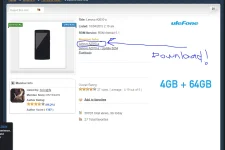
yung nasa needrom yung kailangan mong ROM files...
search mo nalang sa youtube kung pano mag flash using Smartphone flashtool o SPFT..
note: kung gusto mong ayaw mawala yung imei nya wag mong e flash yung secro.img at wag mo ring e check yung preloader bin para iwas hard brick baka kasi pinalitan yung preloader bin...
happy flashing po maam :)
 
Nabura OS ?? huuhu pano po gaggawin ko

sa needrom yan
Capture.webp
 
Status
Not open for further replies.

About this Thread

  • 42
    Replies
  • 2K
    Views
  • 13
    Participants
Last reply from:
mseaxac

Online now

Members online
428
Guests online
1,257
Total visitors
1,685

Forum statistics

Threads
2,274,112
Posts
28,953,718
Members
1,235,078
Latest member
cjaiyes
Back
Top