 PH
PHHard Reset SAMSUNG J500F Galaxy J5
First method:
Second method:
FACTORY RESET via Settings SAMSUNG J100F Galaxy J1 - TUTORIAL
SCREEN LOCK REMOVE / HARD RESET: SAMSUNG J100F Galaxy J1
If this was useful, please share to help others and follow us on You do not have permission to view the full content of this post. Log in or register now., You do not have permission to view the full content of this post. Log in or register now.and You do not have permission to view the full content of this post. Log in or register now.
First method:
- First, turn off the phone by using the Power key.
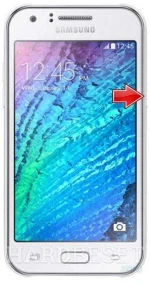
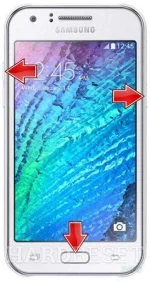
- Now press and hold together: Volume Up + Home + Power button, until you see Samsung logo.
- Then select from Recovery Mode menu "wipe data / factory reset" using Volume buttons to navigate and Home button to confirm.
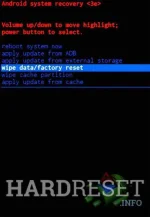
- Choose "Yes -- delete all user data" to confirm the whole operation.

- After that select option "reboot system now".
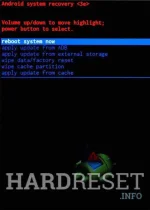
- Well done! The hard reset has just been performed.
Second method:
- Start by turninng on the device.
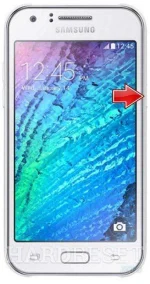
- From the Home Screen go to Menu and then to Settings.
- Tap Backup & Reset and then Factory Data Reset.
- In the next step choose Reset device.
- To confirm your choice select Erase everything.
- That's all.
FACTORY RESET via Settings SAMSUNG J100F Galaxy J1 - TUTORIAL
SCREEN LOCK REMOVE / HARD RESET: SAMSUNG J100F Galaxy J1
If this was useful, please share to help others and follow us on You do not have permission to view the full content of this post. Log in or register now., You do not have permission to view the full content of this post. Log in or register now.and You do not have permission to view the full content of this post. Log in or register now.
