🔒 Closed Cherry mobile fusion hard reset

Status
Not open for further replies.

stradlin

Journeyman
Hard Reset CHERRY MOBILE Fusion Air
First method:

  1. First of all switch off the device by pressing the Power key. cherry-mobile-fusion-air.webp

  2. Then hold down Volume Up + Power button for about 10 seconds.cherry-mobile-fusion-air.webp
  3. Release held keys when you see the Android Robot.cherry-mobile-fusion-air.webp
  4. To enter the Recovery Mode hold down the Power key for a short while.cherry-mobile-fusion-air.webp
  5. From the menu choose "Wipe Data/Factory Reset" by using Volume buttons to scroll and Power button to select options.cherry-mobile-fusion-air.webp
  6. Tap "yes" to confirm the operation if you are certain you want to clear all your data.
  7. Use the Power button to accept option "reboot system now".cherry-mobile-fusion-air.webp
  8. Good job!
Second method:
  1. If the device is off hold down the Power button for a short while.cherry-mobile-fusion-air.webp
  2. Afterwards go the Menu and find and select Settings.
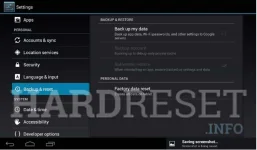
  3. In the next step choose Backup & Reset and tap Factory data reset.cherry-mobile-fusion-air.webp
  4. Choose Reset device and select Erase everything to confirm the whole operation.
  5. Well done! You have just performed a hard reset operation!
If this was useful, please share to help others and follow us on You do not have permission to view the full content of this post. Log in or register now., You do not have permission to view the full content of this post. Log in or register now.and You do not have permission to view the full content of this post. Log in or register now.
 
Status
Not open for further replies.

About this Thread

  • 1
    Replies
  • 715
    Views
  • 2
    Participants
Last reply from:
PHC - JSON

Online now

Members online
958
Guests online
1,108
Total visitors
2,066

Forum statistics

Threads
2,274,257
Posts
28,954,673
Members
1,234,170
Latest member
Ichigooooooo
Back
Top