PH
PH1. Kailangang may winrar or 7Zip kayu na application
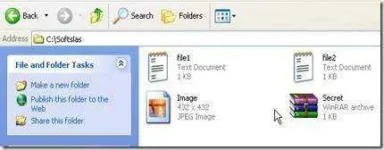
2. make a new folder and ilagay nyo ang mga files na gusto nyung e.hide.
3. Compressed it using winrar or ZZip. The Compresed files should have the extension .zip or .rar
4. Find any pictures you want. .png .jpg or any picture format
5. e move mo ang picture at compressed files sa isang location..
NOTE: kailangan pareha sila ng location ex: C: or D: yung mga files
Lets assume na ang mga files ay nasa drive D:
icon.jpg
Sample.zip
6. Open cmd and type the following
D:\> copy /b icon.jpg + Sample.zip icon.jpg
7. is success may nakalagay sa cmd na "File Copied"
8. Congrats! your files was hidden inside the pictures! icon.jpg. if you double click it it will open as picture.
TO OPEN AND EXTRACT THE FILES:
1. open the icon.jpg using winrar, dun mu makikita ang mga files na nakatago. din select the folder and extract!
HOW NASIYAHAN KAYU!!!!!!
2. make a new folder and ilagay nyo ang mga files na gusto nyung e.hide.
3. Compressed it using winrar or ZZip. The Compresed files should have the extension .zip or .rar
4. Find any pictures you want. .png .jpg or any picture format
5. e move mo ang picture at compressed files sa isang location..
NOTE: kailangan pareha sila ng location ex: C: or D: yung mga files
Lets assume na ang mga files ay nasa drive D:
icon.jpg
Sample.zip
6. Open cmd and type the following
D:\> copy /b icon.jpg + Sample.zip icon.jpg
7. is success may nakalagay sa cmd na "File Copied"
8. Congrats! your files was hidden inside the pictures! icon.jpg. if you double click it it will open as picture.
TO OPEN AND EXTRACT THE FILES:
1. open the icon.jpg using winrar, dun mu makikita ang mga files na nakatago. din select the folder and extract!
HOW NASIYAHAN KAYU!!!!!!