 PH
PremiumCourses
Established
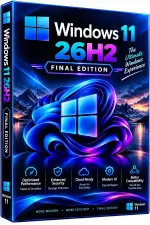
Free Download Microsoft Windows 11 v26H2 Build 26300.9974 Consumer/Business Edition English November 2026 MSDN (x64)
Microsoft Windows 11 is a modern desktop operating system designed to deliver improved productivity, security, and performance across personal and business devices. Version 26H2 builds on the servicing foundation of Windows 11 24H2 and 25H2, providing the latest platform improvements through a streamlined update experience.
This release focuses on making feature updates easier to deploy, reducing installation time, and minimizing disruption for eligible devices. It also enables several previously introduced features by default, including Windows settings backup, app-specific taskbar actions, and File Explorer enhancements.
The Consumer and Business editions provide multiple Windows 11 versions for home users, educational institutions, professionals, and enterprise environments.
Software Overview
Windows 11 version 26H2 is an annual feature update that shares a common servicing platform with Windows 11 versions 24H2 and 25H2. Eligible devices can upgrade through a small enablement package instead of performing a complete operating system installation.
This approach provides a faster deployment process, typically requiring only one restart. It also reduces compatibility validation efforts and maintains consistent management, security, and update experiences across supported releases.
The November 2026 MSDN release includes Consumer and Business installation images, offering a broad selection of Windows 11 editions in one package.
Key Features
- Based on the Windows 11 26H2 annual feature update.
- Build version 26300.9974.
- Consumer and Business editions included.
- Built on the common servicing foundation shared with Windows 11 24H2 and 25H2.
- Supports enablement package upgrades for eligible existing Windows 11 installations.
- Provides a streamlined update experience with faster installation and fewer restarts.
- Reduces deployment and compatibility validation efforts for supported devices.
- Maintains consistent security, management, and servicing experiences.
- Windows Settings Backup enabled by default for eligible commercial devices.
- Helps preserve supported Windows settings and Microsoft Store app lists for recovery and device replacement.
- Enables app-specific actions from the taskbar by default for commercial devices.
- Includes File Explorer enhancements for improved navigation and usability.
- Provides multiple editions for home, education, professional, and enterprise environments.
- Supports both standard and N editions.
Windows 11 Version 26H2 Improvements
Streamlined Servicing and Deployment
- Delivered as an enablement package for eligible devices running Windows 11 24H2 or 25H2.
- Fast installation with a single restart in most scenarios.
- Reduced validation requirements due to the shared servicing platform.
- Consistent update and management processes across supported releases.
Windows Settings Backup
- Enabled by default for eligible commercial devices.
- Helps preserve supported Windows settings.
- Stores supported Microsoft Store app lists for recovery and device replacement scenarios.
- Continues to respect existing administrator-configured policies.
Taskbar Enhancements
- Enables app-specific taskbar actions by default for commercial devices.
- Provides direct access to common application actions through taskbar experiences.
File Explorer Enhancements
- Enables previously controlled File Explorer improvements by default.
- Focuses on improving navigation and overall usability.
Included Consumer Editions
- Windows 11 Home
- Windows 11 Home N
- Windows 11 Home Single Language
- Windows 11 Education
- Windows 11 Education N
- Windows 11 Pro
- Windows 11 Pro N
- Windows 11 Pro Education
- Windows 11 Pro Education N
- Windows 11 Pro for Workstations
- Windows 11 Pro N for Workstations
Included Business Editions
- Windows 11 Education
- Windows 11 Education N
- Windows 11 Enterprise
- Windows 11 Enterprise N
- Windows 11 Pro
- Windows 11 Pro N
- Windows 11 Pro Education
- Windows 11 Pro Education N
- Windows 11 Pro for Workstations
- Windows 11 Pro N for Workstations
System Requirements
- Operating System: Windows 11.
Home Page
Code:
https://www.microsoft.com/What's New
For detailed information about Windows 11 version 26H2 updates, feature changes, and servicing improvements, visit Microsoft's official update history:
Code:
https://support.microsoft.com/en-us/servicing/os/windows-11/2026/09/windows-11-version-26h2-update-historyProduct Information
Software Name: Microsoft Windows 11 Consumer & Business Edition
Version: 26H2 Build 26300.9974
Architecture: x64 (64-bit)
Languages: English
License Type: N
Release Channel: MSDN
Release Date: November 2026
File Size: 8.7 GB / 8.5 GB
Download ( Rapidgator )
You do not have permission to view the full content of this post. Log in or register now.