 PH
For those who want to try FrostStrap, which is a much more advanced alternative to Bloxstrap with additional features and customization options, here's a simple guide on how to install and use it.
Step 1: Install
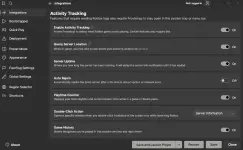
You can explore its different features, such as custom mods, FastFlags, account management, themes, and other customization options.
That's it! You're good to go.
If you have questions or encounter any issues, feel free to ask below.
Step 1: Install
- Run the downloaded installer.
- Follow the installation instructions.
- Wait until the installation is finished.
- Open FrostStrap.
- Configure the settings according to your preference.
- Open 𝚁𝚘𝚋𝚕𝚘𝚡 and launch any game.
You can explore its different features, such as custom mods, FastFlags, account management, themes, and other customization options.
That's it! You're good to go.
If you have questions or encounter any issues, feel free to ask below.
You do not have permission to view the full content of this post. Log in or register now.