 PH
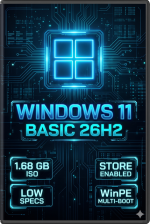
Windows 11 Basic (26H2) - The "Sweet Spot" Edition
Code:
General Information:
* OS Version: Windows 11 Pro 26H2
* Architecture: 64-bit (x64)
* Target Audience: Provided for very Low Specs / Old Hardware but retains essential functionality
* ISO Size: 1.68 GB
* Installation Footprint: ~7.42 GB
* SHA-1 Hash: b5576f7b1ca8eb976024ebc5945627b27938fd3a Why Choose The "Basic" Edition? The Ultimate Sweet Spot!
Tired of having to choose between a bloated, sluggish factory OS and a heavily stripped-down build that breaks your daily workflow? The Basic Edition is here to bridge the gap!
We’ve engineered the absolute perfect balance—aggressively stripping away the heavy background telemetry and useless junk, while keeping the essential everyday features you actually rely on. It looks and feels 100% native, but runs with blistering speed, breathing new life into old hardware without sacrificing functionality. If you want a fast, stable, and debloated daily driver that doesn't hold you back, this is the build you've been waiting for!
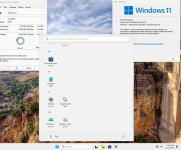
- Retained UWP Apps: Microsoft Store, Snipping Tool, Notepad.
- Fully Functional Core Services:
- Microsoft Account (MSA) sign-in is working flawlessly.
- Printing & File Sharing are fully functional out of the box.
- BitLocker is fully operational.
- .NET Framework 3.5 is pre-installed.
Tweaks Applied for Maximum Performance:
- Dark Theme enabled by default for that sleek look.
- Windows Photo Viewer restored.
- Classic Microsoft Games added (Spider Solitaire, Minesweeper, FreeCell, Hearts, etc.).
- Reserved Storage & Hibernation completely disabled to save SSD space.
- Fast Startup enabled with significantly reduced shutdown times.
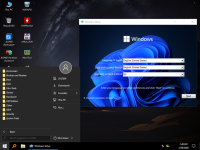
Integrated Multi-Functional WinPE Boot Tools:
As always, it features the powerful hidden taskbar in the boot menu (just move your mouse to the bottom of the screen) packed with professional utilities:
- Backup & Restore: AOMEI Backupper, Snapshot, Symantec Ghost, TeraByte Image.
- Disk Partitioning: AOMEI Partition Assistant, MiniTool Partition Wizard, Check Disk GUI, CrystalDiskInfo/Mark, HD Tune.
- Boot Management: BCDBootGUI, BOOTICE, BootSectGui, EasyUEFI.
- Hardware Diagnostics: CPU-Z, HWiNFO, HWMonitor, CoreTemp, MemTest, RAMMon, Battery Monitor.
- Security & Password Resets: Windows Login Unlocker, NTPWEdit, PEPassPass, BitLockerKey.
- File Management: 7-Zip, Rufus, FastCopy, WinNTSetup, Q-Dir, SearchMyFiles.
--------------------------------------------------
 Important Installation Notes:
Code:
1. Fresh Installation Only: Burn to a USB flash drive (using Rufus or Ventoy) or DVD.
2. Offline Setup: Unplug your LAN/Ethernet cable and do NOT connect to Wi-Fi during the installation phase.
3. CPU Requirement: Requires SSE4.2 CPU instruction support.
4. GSM Restriction: Do not use for GSM (not recommended for those specific mobile diagnostic tools). DOWNLOAD LINK:
Download
Credits to: TeamOS