 PH
Oo sakin kahaponmay mga success attempts na po ba?
-
Welcome to PHCorner Forums! Sign up for free to unlock full access and exclusive privileges, including:
- Asking questions about computer and mobile issues
- Discovering internet tips for your mobile network and computer
You are using an out of date browser. It may not display this or other websites correctly.
You should upgrade or use an alternative browser.
You should upgrade or use an alternative browser.
OPENLINE Huawei B315s-938 :Tool & Reloaded WebUI! [RELEASE] World First by Sylvain deClarini
Sure.
Please download the latest version of the updater for your B315s-938 from the first post of this thread : https://phcorner.org/threads/2635379/
Your authorization code is: MOGO-RUKB-SNKD-9GYV-EZD8-UAYN-PJVP-6ZBG-P8FY
Good for 24 hours starting now
Make sure to have a wifi on the laptop / pc you're using for flashing and kindly send so many screenshots and pictures of your openline B315s-938 in the forum after flashing so everyone can enjoy it
Please download the latest version of the updater for your B315s-938 from the first post of this thread : https://phcorner.org/threads/2635379/
Your authorization code is: MOGO-RUKB-SNKD-9GYV-EZD8-UAYN-PJVP-6ZBG-P8FY
Good for 24 hours starting now
Make sure to have a wifi on the laptop / pc you're using for flashing and kindly send so many screenshots and pictures of your openline B315s-938 in the forum after flashing so everyone can enjoy it
hello sir ako please penge po ako auth code poneed ko po openline yun 938 ko po salamat po
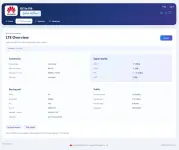
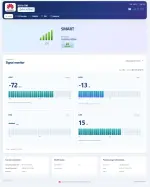
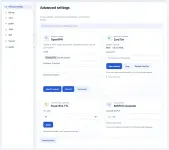
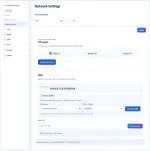
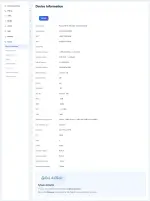
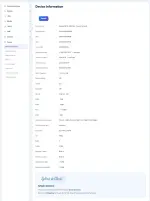
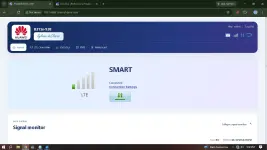
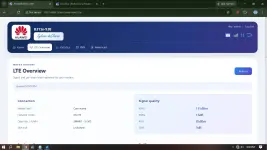
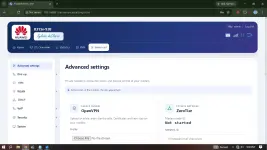
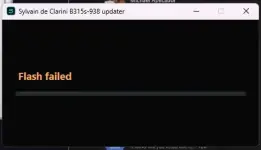
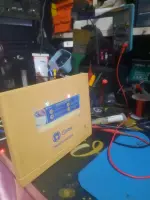
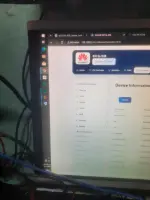
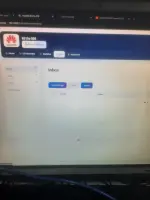
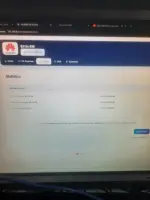
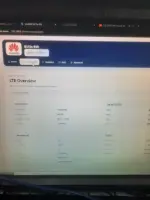
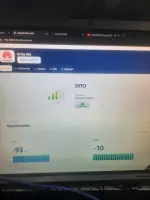
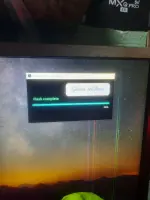
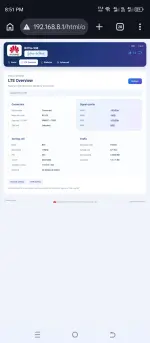
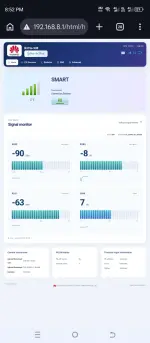
Looks good ! Enjoy surfingSylvaain
Legit na legit gamit ko na ngayon yung dating nasa gilid lang na 938
Maraming salamat boss
View attachment 4432337
View attachment 4432338

1 free openline per user boss kindly pm me if you need additional authorization codes
baka may nag una sa akin boss1 free openline per user boss kindly pm me if you need additional authorization codes
pm nalang
I can't see your pm bossbaka may nag una sa akin boss
pm nalang
realbryasnow
Leecher
Yung nakatambak kong 938 for more than 8 years ngayon magagamit ko na ulit as my backup using SMART and DITO SIM cards - thanks to this tool by boss Sylvaain. Legit na legit mga boss, akala ko forever ko nang itatambak itong 938 ko.
Message lang kayo either here sa kanya sa PHCorner or through his FB page "Sylvain de Clarini tech&modems" for the flasher's auth code (make sure lang din na nakaready na yung modem nyo or naka-set na on USB Download Mode for a faster process). Then run nyo yung flasher tool nya (link on the top post), and then wait for it to complete. Then after that, [IMPORTANT] i-factory reset nyo yung modem by pressing the RESET button sa tabi ng DC jack/power port using a pin for around 10-15 seconds (sim ejector pin would do), then lagyan nyo na ng SIM Card and login to admin panel at 192.168.8.1 (admin/admin) - gagana na yan and don't forget lang to use the IMEI changer sa network settings
More blessings to you boss Sylvaain!
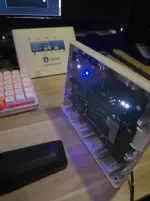
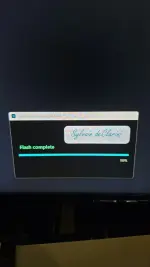
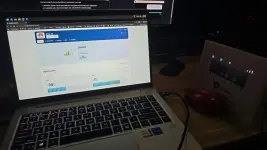

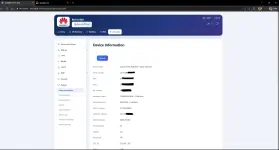
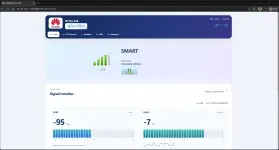
Message lang kayo either here sa kanya sa PHCorner or through his FB page "Sylvain de Clarini tech&modems" for the flasher's auth code (make sure lang din na nakaready na yung modem nyo or naka-set na on USB Download Mode for a faster process). Then run nyo yung flasher tool nya (link on the top post), and then wait for it to complete. Then after that, [IMPORTANT] i-factory reset nyo yung modem by pressing the RESET button sa tabi ng DC jack/power port using a pin for around 10-15 seconds (sim ejector pin would do), then lagyan nyo na ng SIM Card and login to admin panel at 192.168.8.1 (admin/admin) - gagana na yan and don't forget lang to use the IMEI changer sa network settings
More blessings to you boss Sylvaain!
Looks super good !!Yung nakatambak kong 938 for more than 8 years ngayon magagamit ko na ulit as my backup using SMART and DITO SIM cards - thanks to this tool by boss Sylvaain. Legit na legit mga boss, akala ko forever ko nang itatambak itong 938 ko.
Message lang kayo either here sa kanya sa PHCorner or through his FB page "Sylvain de Clarini tech&modems" for the flasher's auth code (make sure lang din na nakaready na yung modem nyo or naka-set na on USB Download Mode for a faster process). Then run nyo yung flasher tool nya (link on the top post), and then wait for it to complete. Then after that, [IMPORTANT] i-factory reset nyo yung modem by pressing the RESET button sa tabi ng DC jack/power port using a pin for around 10-15 seconds (sim ejector pin would do), then lagyan nyo na ng SIM Card and login to admin panel at 192.168.8.1 (admin/admin) - gagana na yan and don't forget lang to use the IMEI changer sa network settings
More blessings to you boss Sylvaain!
View attachment 4432451
View attachment 4432452
View attachment 4432453
View attachment 4432454
View attachment 4432455
View attachment 4432456

About this Thread
-
315Replies
-
6KViews
-
90Participants
Last reply from:
rakhistha
rakhistha
New Topics
-
Baka may super admin kayo nito
- Started by Caellum
- Replies: 2
- 📡 Broadband, Modem, & Networking
-
S2s router portal access
- Started by oranda04
- Replies: 4
- 📡 Broadband, Modem, & Networking
-
May FREE openline na ba si dito wowfi modem?
- Started by Dextroxe
- Replies: 1
- 📡 Broadband, Modem, & Networking
-
Converge wifi Help problem
- Started by Dhanny22
- Replies: 1
- 📡 Broadband, Modem, & Networking
-
Rain101 abnormal sim card
- Started by Bert023
- Replies: 5
- 📡 Broadband, Modem, & Networking
-
Admin acccess b315s-938
- Started by icinosai
- Replies: 1
- 📡 Broadband, Modem, & Networking
-
Full adminaccess b315s-938
- Started by icinosai
- Replies: 2
- 📡 Broadband, Modem, & Networking
-
Wi-Fi 2.4GHz vs 5GHz: Which Should You Use?
- Started by xwx
- Replies: 4
- 📡 Broadband, Modem, & Networking
Trending Topics
-
-
-
-
-
-
-
Rain101 (Anti TTL) Bypass Datamaxx 5GUnli / Sayall 5G Unli ( No Connection )
- Shuuuuuuuun
Replies: 82
Online now
- Members online
- 1,087
- Guests online
- 14,338
- Total visitors
- 15,425