 PH
PHakosikristo
Established
1. Download and install VLC Player (If wala ka pa)
2. Open VLC Player after installation
3. Click media
4. Click open network stream
5. Under Network paste this link and click play :
6. Under toggle playlist sa console ng VLC mo click mo lang to view all the channels
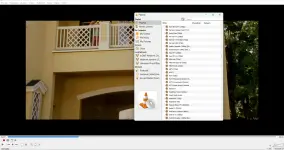
7. Enjoy streaming thousand of IPTV channel via VLC Player
2. Open VLC Player after installation
3. Click media
4. Click open network stream
5. Under Network paste this link and click play :
You do not have permission to view the full content of this post. Log in or register now.
7. Enjoy streaming thousand of IPTV channel via VLC Player