PH
PHwaldopulanco
Enthusiast
 Introducing the Advance Fiber Grid Mapper (AFG Mapper)!
Fiber layout designers and network builders, the wait is over! We are excited to announce the release of the Advance Fiber Grid Mapper (AFG Mapper) — a powerful, specialized tool built to make planning, designing, and managing your optical network easier and more accurate than ever.
 Quick Note for APG Mapper Users:
Please note that AFG Mapper is a brand-new application specifically designed for detailed fiber grid layouts and core-to-core connections. This is different from our existing APG Mapper app. If you are designing physical fiber networks, AFG Mapper is the tool for you!
 Internet Connection Required:
Please be advised that AFG Mapper relies on online services to load maps and data. An active internet connection is required to use the application—it cannot be used offline.
 Why You'll Love AFG Mapper (Key Features):
 Dual Workspace Design: Easily manage your entire network with two views:
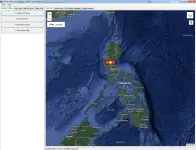
Main Map Canvas: Drop your Utility Poles, NAP Boxes, Joint Closures, and Fiber Cables directly onto the geographic grid map to plan your physical routes.
Enclosure Canvas: Dive deep inside any node (Server Room or NAP Box) to configure complex core-to-core fiber splicing and patching.
 Real-Time Optical Loss Budgeting & Power Calculations: The system automatically calculates accumulated dB loss and remaining power (dBm) across your entire network. Hover over any component pin to instantly view active signal status and power drops!
 Smart Core-to-Core Wiring & Components: Easily build your internal connections using the "TIA-598 Standard" color coding for each core inside the cable. The system dynamically generates multi-core blocks to keep your workspace neat.
 Support for Unbalanced Splitters (FBT Couplers): Seamlessly route uneven signal distributions using specialized TAP (lower percentage) and PASS (higher percentage) output pins.
 Intuitive Map & Canvas Controls: Drag and drop icons, draw physical fiber routes across streets, create bends for neat wiring, and rotate components inside enclosures to prevent crossed wires. Hover over any map icon to see instant summaries of OLT devices, PON ports, and cable core counts!
 Project Management Ready: Expanding your network? (Supports up to 48-core cables!) Save your entire network map, internal configurations, and wirings into a single project file to resume work or share with your team later.
Take your fiber network planning to the next level with precision and ease.
 Learn more and get started today at our official website:
 You do not have permission to view the full content of this post.
Log in or register now.
You do not have permission to view the full content of this post.
Log in or register now.