 PH
PHPHC-Mqnzanal
Established
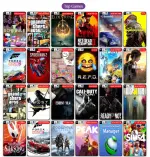
Just sharing my experience para sa mga nag-i-install ng games.
Don’t waste too much time on FitGirl kung ayaw niyo ng sobrang tagal na installation.
Yung installation time ng FitGirl, heavily dependent sa PC specs, especially CPU, RAM, and storage. Minsan mabilis, pero sa ibang PC umaabot ng hours, and sometimes may installation errors pa.
Sa SteamRip, mas straightforward yung process—usually extract the files and run the game. May extra files nga lang na kasama, pero compared sa matagal na repacking/install process, mas convenient siya kung gusto mo lang makapaglaro agad.
FitGirl = smaller download, pero potentially longer installation.
SteamRip = potentially bigger files, pero mas simple/quick to set up.
You do not have permission to view the full content of this post. Log in or register now.
For faster/easier downloads:
You can use AB Download Manager. Click the website's Download button, choose the appropriate download option, then copy the download link. Open AB Download Manager → New Download → paste the link. It should automatically detect the URL, then you can start the download.
Storage location: Kapag may nakita kang folder icon, click mo lang iyon para piliin kung saan mo gustong i-save yung files. Depende na sa'yo kung saang storage/drive mo siya ida-download (C:, D:, external drive, etc.).
Mas convenient ito lalo na kung malalaki yung files at gusto mong ma-pause/resume yung download