 PH
PH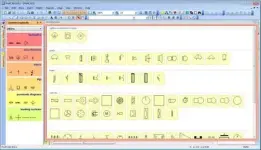
Free Download ProfiCAD 14.0.4 Multilingual + Portable | 20.4/18.2 Mb
ProfiCAD is a CAD application for creating electrical and electronic diagrams, schematics, and control circuit drawings. It can also be used for technical diagrams covering areas such as pneumatics and hydraulics.
ProfiCAD focuses on a straightforward drawing workflow for electrical circuits. Symbols can be placed directly into a drawing and connected with wires, making it suitable for creating circuit diagrams without a complex drafting process.
The application includes a library of more than one thousand electrical symbols and provides a symbol editor for creating custom symbols. It also includes tools for symbol numbering, netlist generation, wire lists, bills of material, striped wire drawings, and cross-reference management.
Software Overview
ProfiCAD provides tools for designing electrical and electronic schematics, control circuits, and other technical diagrams. Its symbol-based workflow allows users to place components on the drawing and connect them with wires.
The software includes more than one thousand predefined symbols and allows custom symbols to be created through the built-in symbols editor. It also supports cross references between wires and between symbols that belong to the same component, such as relay coils and contacts.
Key Features
- Create electrical and electronic diagrams, schematics, and control circuit diagrams
- Support technical diagrams for pneumatics and hydraulics
- Straightforward symbol-and-wire drawing workflow
- Includes more than one thousand electrical symbols
- Create custom symbols using the symbols editor
- Automatic numbering of symbols
- Generate netlists and lists of wires
- Generate bills of material
- Draw striped wires
- Support cross references between wires
- Support cross references between symbols belonging to the same component
- Access linked symbols on other pages through cross references
ProfiCAD combines electrical diagram drawing with a symbol-based workflow designed around straightforward component placement and wire connections. Its built-in symbol library and custom symbol editor provide flexibility when creating different types of schematics.
The application also includes documentation-oriented features such as automatic numbering, netlists, wire lists, bills of material, and cross references, making it suitable for preparing structured electrical drawings.
System Requirements
- Operating System: Windows XP + Service Pack 3, Windows Vista, Windows 7, Windows 8, Windows 10
- .NET Framework 4
- Hard Disk Space: 15 MB
Code:
https://www.proficad.com/Software Name: ProfiCAD
Version: 14.0.4
Languages: Multilingual
License: Full Version + Portable
File Size: 20.4/18.2 Mb
Download ( Rapidgator )
You do not have permission to view the full content of this post. Log in or register now.
You do not have permission to view the full content of this post. Log in or register now.
UploadCloud
You do not have permission to view the full content of this post. Log in or register now.
You do not have permission to view the full content of this post. Log in or register now.
DDownload
You do not have permission to view the full content of this post. Log in or register now.
You do not have permission to view the full content of this post. Log in or register now.
FreeDL
You do not have permission to view the full content of this post. Log in or register now.
You do not have permission to view the full content of this post. Log in or register now.