 PH
PH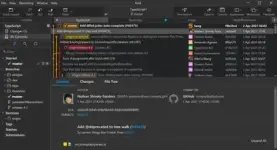
Free Download Danil Pristupov Fork 2.22 (x64) | 72.4 Mb
Fork is a Git client for Windows that provides a graphical environment for managing repositories, commits, branches, merges, and other version control operations. It is designed to simplify common Git workflows while providing visual tools for reviewing repository history and handling more advanced operations.
The application includes dedicated tools for resolving merge conflicts, performing interactive rebases, and examining changes made to individual files or lines. These features help developers review repository activity and manage changes without relying exclusively on command-line Git operations.
Fork supports a broad set of everyday Git tasks, including fetching, pulling, pushing, committing, branching, tagging, cherry-picking, reverting, merging, rebasing, stashing, and working with submodules.
Software Overview
Fork provides a visual interface for working with Git repositories and their associated version control operations. Developers can manage local repository changes, synchronize work with remote repositories, and perform common branch and commit operations from the application.
Its merge-conflict tools provide a dedicated workflow for identifying and resolving conflicts. The interactive rebase interface allows commits to be edited, reordered, and squashed visually, making it easier to reorganize commit history when required.
Repository history can also be examined through dedicated History and Blame views. History helps locate commits in which a particular file or directory was changed, while Blame identifies the last commit responsible for changes to individual lines within a file.
Key Features
- Resolve merge conflicts using the built-in merge-conflict helper and resolver.
- Edit, reorder, and squash commits through interactive rebase.
- Review file and directory changes with the History view.
- Identify the last commit that changed a specific file line with Blame.
- Fetch, pull, and push repository changes.
- Create and amend commits.
- Create and delete branches and tags.
- Create and delete remote repositories.
- Check out branches or revisions.
- Cherry-pick individual commits.
- Revert changes and commits.
- Merge and rebase branches.
- Manage Git stashes.
- Work with Git submodules.
Fork is suitable for developers who prefer a graphical Git workflow for repository management and source control tasks. Its combination of everyday Git operations with visual tools for history, blame, interactive rebase, and merge-conflict resolution provides practical support for both routine development work and more involved repository maintenance.
System Requirements
Operating System: Windows 7+
Home Page
Code:
https://fork.dev/- Software Name: Fork
- Version: 2.22
- Architecture: x64
- Languages: English
- License type: Full Version
- File Size: 72.4 Mb
Download ( Rapidgator )
You do not have permission to view the full content of this post. Log in or register now.
UploadCloud
You do not have permission to view the full content of this post. Log in or register now.
DDownload
You do not have permission to view the full content of this post. Log in or register now.
FreeDL
You do not have permission to view the full content of this post. Log in or register now.