 PH
PH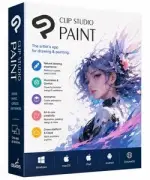
Free Download Clip Studio Paint EX 5.1.2 (x64) Multilingual Portable | 289 Mb
Clip Studio Paint EX is a digital art application for creating comics, manga, illustrations, and related artwork. It provides tools for sketching, inking, coloring, character development, and digital production, making it suitable for artists working from traditional concepts as well as those creating complete projects digitally.
The Portable edition provides the same described creative features in a portable release format. Artists can work with freehand drawing tools, 3D references, brush controls, animation features, and character adjustment tools while developing artwork.
Clip Studio Paint EX also includes Smart Shape, puppet warp, onion skin, Sub View, 3D hand and head models, and controls for brush stabilization, blending, rendering, and fill operations. These features support different stages of illustration and comic production without requiring separate applications for each task.
Software Overview
Clip Studio Paint EX combines drawing, coloring, reference, 3D, and animation tools in a single creative workspace. Artists can draw lines, curves, and shapes freehand and use Smart Shape to create cleaner forms while continuing to work with their preferred brushes.
The 3D reference tools provide adjustable hand and head models for character artwork. Hand models can be posed for reference, while head models allow facial features and viewing angles to be adjusted. Hand pose materials and the Hand Scanner provide additional ways to establish hand references.
For animation work, the application supports basic animation creation and onion skinning, allowing neighboring frames to remain visible while drawing. Puppet warp can be used to adjust character poses, while Sub View provides a way to keep reference images visible during the drawing process.
Key Features
- Create freehand lines, curves, and shapes.
- Use Smart Shape for clean hand-drawn forms.
- Continue working with preferred brushes without changing tools.
- Use detailed 3D hand models as drawing references.
- Customize 3D hand poses for character artwork.
- Use hand pose materials and the Hand Scanner.
- Create basic animations.
- Use onion skinning to view neighboring frames.
- Adjust character poses with puppet warp.
- Use adjustable 3D head models for facial references.
- Display images in Sub View as drawing references.
- Add patterns and guide lines to 3D references.
- Draw directly on 3D objects with UV-mapped vertices.
- Work with 3D primitives and 3D drawing figures.
- Use realistic metal and gloss textures.
- Group multiple 3D models and move or rotate them together.
- Use faster rendering with large watercolor brushes.
- Draw lines with high stabilization.
- Blend colors more smoothly with high-quality settings.
- Prevent color blending outside the brush cursor or selected area.
- Adjust brush size and opacity according to movement speed with Velocity dynamics.
- Use pen pressure and tilt settings for brush control.
- Perform fill operations more quickly.
Clip Studio Paint EX is designed for artists who need a broad set of tools for comic, manga, and illustration workflows. Drawing, coloring, animation, 3D references, and character adjustment features can be used within the same application.
The Portable release format provides an alternative way to use the software while retaining the described creative functionality. Its combination of reference models, brush controls, and drawing tools is suitable for detailed character and comic artwork.
System Requirements
Operating System: Not provided in the source article.
Architecture: x64
Home Page
Code:
https://www.clipstudio.net/en/- Software Name: Clip Studio Paint EX
- Version: 5.1.2
- Architecture: x64
- Languages: Multilingual
- License type: Portable
- File Size: 289 Mb
Download ( Rapidgator )
You do not have permission to view the full content of this post. Log in or register now.
UploadCloud
You do not have permission to view the full content of this post. Log in or register now.
DDownload
You do not have permission to view the full content of this post. Log in or register now.
FreeDL
You do not have permission to view the full content of this post. Log in or register now.