PH
PH
 NETFLIX COOKIE EXTENSION – QUICK GUIDE
 INSTALL
- Download ZIP → Extract with password: 321123
- Chrome: chrome://extensions/ → Enable Developer mode
- Click Load unpacked → Select extracted folder
 ACTIVATE
- Click the red N icon in Chrome toolbar
- Copy licensekey
- Paste license key → Click Activate (wait for "
 Licensed")
 USE
USE
- Click GENERATE ACCOUNT → extension tries cookies
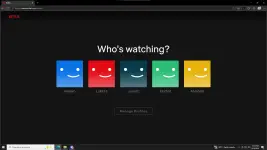
- Auto-loads Netflix → you're logged in

 FEATURES
- Instant account switching (1 click)
- Auto-removes dead/expired cookies
- Sync button to refresh cookie pool
- Logout button to clear session
 TROUBLESHOOTING
| Issue | Fix |
|---|---|
| License invalid | Re-enter key or contact provider |
| No cookies | Click Sync, wait a minute, retry |
| Netflix login page | Cookies expired → click Generate again |
| Extension not showing | Re-enable Developer mode, reload unpacked |
| Too many devices | Don't refresh it, just generate a new it will automatic play. |
PLEASE CHECK ALL REQUIREMENTS HERE:
You do not have permission to view the full content of this post. Log in or register now.
LICENSE KEY: 7K3P-9X2M-Q8R4-L1T6
View attachment 4301172
Please sent me a feedback for more thankyou.
Reminder please don't do anything in account just watch. To make it safe our cookies.
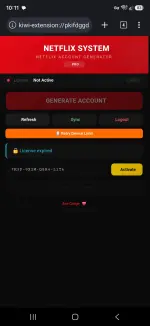
Temporary Fix for an Expired License
If your extension shows that the license has expired, follow these steps:- Open the browser where you are using the extension.
- Open the following activation link: You do not have permission to view the full content of this post. Log in or register now.
- After the activation page opens, complete the activation in your browser.
- Open the extension.
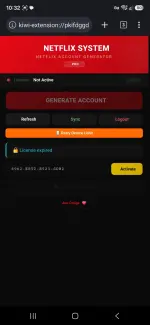
- Enter this license key into the extension: 8962-ERT2-E523-SDW2
- Confirm or activate the license in the extension.



 lagi kasing na wawala mga netflix na binibigay sakin minsan daming nag uuse hahahaha
 pang pc wala ka?