 PH
PH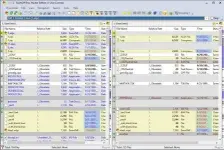
Free Download Free Download ExamDiff Pro Master Edition 17.0.1.8 (x64) | 28.6 Mb
ExamDiff Pro Master Edition is a visual file and directory comparison utility for Windows that helps users identify differences between files, folders, and document versions. It provides side-by-side comparison tools, merging capabilities, synchronization functions, and reporting features for development, testing, document review, and everyday file management.
The application supports two-way and three-way comparison and merging, allowing users to review changes and combine different versions of files. Developers can use syntax highlighting and comment filtering to focus on relevant source-code changes, while built-in binary comparison supports executable files such as DLL and EXE files.
ExamDiff Pro also provides directory synchronization, snapshots, drag-and-drop operations, Windows Explorer integration, and document comparison through dedicated plugins. These tools make it suitable for both technical and general-purpose comparison workflows.
Software Overview
ExamDiff Pro provides a visual environment for comparing files and directories and reviewing differences between versions. Users can navigate directly between detected changes, merge content, and synchronize files between a computer and external storage.
For software development, the application supports code review workflows, syntax highlighting, programming-language comment filtering, and binary comparison of executable files. An FTP plugin can also be used to compare a local website with content stored on an FTP server.
The software supports document-oriented workflows as well. Its built-in text editor allows documents to be edited from the comparison window, while synchronized word wrapping helps users compare paragraphs. Plugins provide comparison support for Word, Excel, and PDF documents.
Key Features
- Compare individual files visually.
- Compare directories and identify differences between folders.
- Use two-way and three-way file comparison and merging.
- Navigate quickly between detected differences.
- Merge different file versions.
- Generate HTML and printed difference reports.
- Track changes in files and folders during development.
- Support code review workflows.
- Ignore programming-language comments during source-code comparisons.
- Use syntax highlighting to distinguish elements of source code.
- Compare executable files such as DLL and EXE files using binary comparison.
- Compare a local website with an FTP server through the FTP plugin.
- Synchronize files and directories between a PC and external media.
- Create directory snapshots for later comparison and archiving.
- Compare files with previous versions to identify and undo mistakes.
- Drag and drop files and directories into comparison sessions.
- Start comparisons from Windows Explorer using the built-in Shell extension.
- Compare test results against a baseline.
- Save test comparison results as reports.
- Edit documents within the comparison window using the built-in text editor.
- Use synchronized word wrapping when comparing document paragraphs.
- Compare Word, Excel, and PDF documents through plugins.
ExamDiff Pro Master Edition is suitable for developers, testers, writers, and general computer users who need a visual way to inspect and manage file differences. Its combination of comparison, merging, synchronization, reporting, and snapshot tools supports both technical and everyday workflows.
The application is particularly useful when multiple versions of files or directories need to be reviewed, merged, archived, or validated against an established baseline.
System Requirements
Operating System: Windows XP, 2003, Vista, 7, 2008, 8, 2012, 8.1, 2012 R2, 10, 2016.
Home Page
Code:
https://www.prestosoft.com/- Software Name: ExamDiff Pro Master Edition
- Version: 17.0.1.8
- Architecture: x64
- Languages: English
- License type: Full Version
- File Size: 28.6 Mb
Download ( Rapidgator )
You do not have permission to view the full content of this post. Log in or register now.
UploadCloud
You do not have permission to view the full content of this post. Log in or register now.
DDownload
You do not have permission to view the full content of this post. Log in or register now.
FreeDL
You do not have permission to view the full content of this post. Log in or register now.