PH
PHNOTE: This only works po sa mismong desktop app ng claude, NOT APPLICABLE IN MOBILE DEVICES.
-COMPLETE SETUP GUIDE
1. Download and install first CLAUDE DESKTOP if wala pa (click download for windows if naka window, macOS naman if naka mac): You do not have permission to view the full content of this post. Log in or register now.
2. Once installed, open and click niyo yung menu bar sa top left, click help > troubleshooting > click enable develepor mode. Then click developer sa menu bar > click configure third-party interference.... Then dapat ma open ang Configure third-party inference.
3. Then register muna kayo sa API'S SITES na may FREE CREDITS (with daily sign check-in) if di pa kayo nakaka register hehe:
4. Then create po kayo API KEY tru api key na nasa sidebar, then copy the API KEY.
5. Balik tayo sa Configure third-party inference ng claude desktop. Sa credential kind, set niyo sa Static API key. Sa Gateway API key, paste niyo dito yung api key na ni-copy niyo. Sa Gateway base URL, copy and paste niyo dito yung BASE URL NG API SITES:
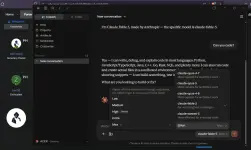
-Sa Gateway auth scheme, set niyo sa bearer. Then click apply changes then restart. See example guide image below:
6. Then okay na, try niyo chat sa cowork mode if working.
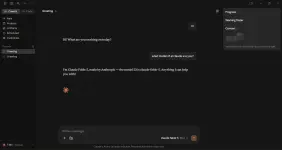
EXTRA TIP GUIDE: Sa </>code mode, Pwede niyo i-connect projects niyo dito and directly edits codes files by simple click the add folder sa chat. Example image below:
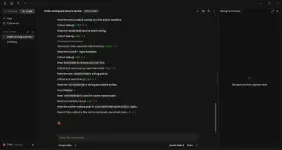
-Best alternate ai coding extension if di kayo satisfied sa ai extensions sa vs code or kahit anong IDE like cline, roo code, zoo code, kilo, etc. And take note that claude models are only available here since claude desktop siya.
PA FEEDBACK PO IF WORKING AND HELPFUL, TY
-COMPLETE SETUP GUIDE
1. Download and install first CLAUDE DESKTOP if wala pa (click download for windows if naka window, macOS naman if naka mac): You do not have permission to view the full content of this post. Log in or register now.
2. Once installed, open and click niyo yung menu bar sa top left, click help > troubleshooting > click enable develepor mode. Then click developer sa menu bar > click configure third-party interference.... Then dapat ma open ang Configure third-party inference.
3. Then register muna kayo sa API'S SITES na may FREE CREDITS (with daily sign check-in) if di pa kayo nakaka register hehe:
You do not have permission to view the full content of this post. Log in or register now.
5. Balik tayo sa Configure third-party inference ng claude desktop. Sa credential kind, set niyo sa Static API key. Sa Gateway API key, paste niyo dito yung api key na ni-copy niyo. Sa Gateway base URL, copy and paste niyo dito yung BASE URL NG API SITES:
You do not have permission to view the full content of this post. Log in or register now.
You do not have permission to view the full content of this post. Log in or register now.
EXTRA TIP GUIDE: Sa </>code mode, Pwede niyo i-connect projects niyo dito and directly edits codes files by simple click the add folder sa chat. Example image below:
-Best alternate ai coding extension if di kayo satisfied sa ai extensions sa vs code or kahit anong IDE like cline, roo code, zoo code, kilo, etc. And take note that claude models are only available here since claude desktop siya.
PA FEEDBACK PO IF WORKING AND HELPFUL, TY