 PH
PH
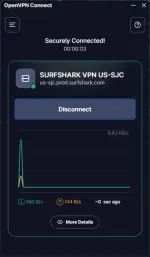
OpenVPN Connect Setup
1. Download OpenVPN Connect
Download and install OpenVPN Connect from the official website:
You do not have permission to view the full content of this post. Log in or register now.
2. Import the 𝚂𝚞𝚛𝚏𝚜𝚑𝚊𝚛𝚔 Configuration
Download the You do not have permission to view the full content of this post. Log in or register now. file, then import the appropriate configuration into OpenVPN Connect.
3. OpenVPN Credentials
Use the following credentials:
You do not have permission to view the full content of this post. Log in or register now.
In OpenVPN Connect, go to Settings and untick/disable “External Certificate” before connecting.
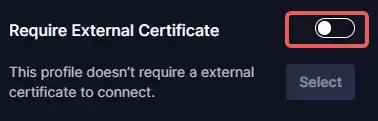
5. Connect
After importing the configuration and updating the setting, enter your OpenVPN credentials when prompted, then connect.

