PH
PHDI NA KAILANGAN E RESTART ANG STEAM.
REQUIREMENTS, STEAM TOOLS AND PROJECT LIGHTNING
para lang to sa nakapag subaybay ng thread ko. hehehe
wanna check ? here's the link
Required
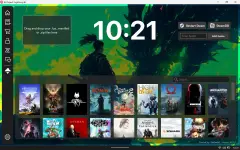
ProjectLightning & Steamtools
You do not have permission to view the full content of this post. Log in or register now.
1. Install Steamtools. Then install Project Lightning (update if required)
2. Open Steam tools
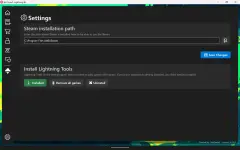
3.Open Project Lightning Go to settings, Set the installation path. Install Lightning Tools
4. Your are good to go, pwerde mo na e close ang steam tools. di mo na yan bubksan ulit.
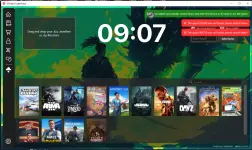
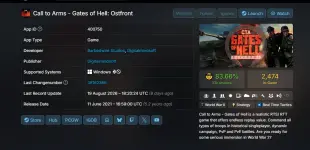
5. Go to steam DB in your browser, kunin nyo APP ID game na gusto nyo, copy and paste Library tab ng Project Lightning(yung mei (ENTER APP ID) then click...
You do not have permission to view the full content of this post. Log in or register now.
1. DL the file and extract.
2. open the extracted one, copy the 3 .dll file. (walang ibang dll dyan)
3. Open steam tools, hover to Open Steam Folder and select Steam Folder
4. Paste the file that you copied. (sara nyo pala muna steam para ma paste)
5. Open steam, add game tru project lighning. Check it right away if na add ba. if na add pa comment nalang
at kung hindi, pa comment na rin
6. pagcheck nyo ng game sa steam nyo, type nyo lang sa search bar yung app id. lalabas yan. install nalang
REQUIREMENTS, STEAM TOOLS AND PROJECT LIGHTNING
para lang to sa nakapag subaybay ng thread ko. hehehe
wanna check ? here's the link
Required
ProjectLightning & Steamtools
You do not have permission to view the full content of this post. Log in or register now.
1. Install Steamtools. Then install Project Lightning (update if required)
2. Open Steam tools
3.Open Project Lightning Go to settings, Set the installation path. Install Lightning Tools
4. Your are good to go, pwerde mo na e close ang steam tools. di mo na yan bubksan ulit.
5. Go to steam DB in your browser, kunin nyo APP ID game na gusto nyo, copy and paste Library tab ng Project Lightning(yung mei (ENTER APP ID) then click...
- ikaruga
- jinwoisagi88 mewacle- nickyrtz13 wraithking0831 yabadabadoo
- Replies: 181
- Forum: 🖥️ PC Gaming


You do not have permission to view the full content of this post. Log in or register now.
1. DL the file and extract.
2. open the extracted one, copy the 3 .dll file. (walang ibang dll dyan)
3. Open steam tools, hover to Open Steam Folder and select Steam Folder
4. Paste the file that you copied. (sara nyo pala muna steam para ma paste)
5. Open steam, add game tru project lighning. Check it right away if na add ba. if na add pa comment nalang
at kung hindi, pa comment na rin
6. pagcheck nyo ng game sa steam nyo, type nyo lang sa search bar yung app id. lalabas yan. install nalang