 PH
PH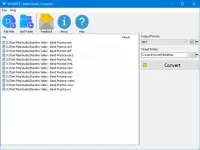
VovSoft Batch Audio Converter 2.1 | 17.1 Mb
VovSoft Batch Audio Converter is a Windows utility designed to convert large collections of audio files quickly and efficiently. Whether you're organizing a music library, preparing media for portable devices, or converting recordings for editing and distribution, the software provides a straightforward workflow that simplifies batch audio processing without compromising output quality.
The application features an intuitive drag-and-drop interface, allowing users to import multiple files directly from Windows Explorer and convert them in a single operation. Flexible encoding options make it easy to customize audio quality, channel configuration, and destination folders to meet different project requirements.
To ensure a consistent listening experience, Batch Audio Converter also includes integrated loudness normalization based on the EBU R128 standard. This professional normalization method balances volume levels across multiple tracks, making it especially useful for music collections, podcasts, audiobooks, and other audio productions.
Key Features:
- Convert multiple audio files simultaneously to save time.
- Simple drag-and-drop workflow for fast file importing.
- Supports a wide variety of popular audio formats for both input and output.
- Customize output bitrate, sample rate, and channel configuration.
- Supports mono, stereo, 5.1, and 7.1 channel layouts.
- Specify a custom output directory for organized file management.
- Built-in EBU R128 loudness normalization for consistent playback volume.
- Suitable for music libraries, podcasts, voice recordings, and multimedia projects.
Supported Formats:
Input and Output:
- MP3 (MPEG Audio Layer 3)
- WMA (Windows Media Audio)
- WAV (Waveform Audio)
- M4A (MPEG-4 Audio)
- AIFF (Audio Interchange File Format)
- AAC (Advanced Audio Coding)
- OGG (Ogg Vorbis)
- OPUS (Opus Codec)
- AC3 (Dolby Digital)
- EAC3 (Enhanced AC-3)
- MP2 (MPEG Audio Layer 2)
- WV (WavPack)
- WEBM (WebM Audio)
- FLAC (Free Lossless Audio Codec)
Volume Normalization:
Batch Audio Converter supports loudness normalization using the EBU R128 standard developed by the European Broadcasting Union. This feature automatically balances audio levels across multiple files, reducing sudden volume differences and producing a more consistent listening experience for music, podcasts, audiobooks, and other audio content.
Home Page
Code:
https://vovsoft.com/software/batch-audio-converter/
KatFile
You do not have permission to view the full content of this post. Log in or register now.
Download ( Rapidgator )
You do not have permission to view the full content of this post. Log in or register now.
FreeDL
You do not have permission to view the full content of this post. Log in or register now.
