 PH
PH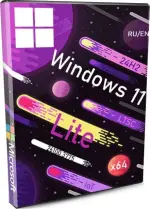
Gaming Windows 11 IoT Enterprise 24H2 – a smooth, no-bloat build for home use, in both English and Russian. Experience comfort without Microsoft clutter!
This build is designed to feel like your favorite pair of slippers — lightweight, comfortable, and hassle-free. No constant pop-ups, no ads, no Defender screaming at you, no endless updates, no Edge forced down your throat. Just a clean system that lets you enjoy your PC.
Included .NET Framework 3.5, DirectPlay, and SMB 1.0 — because you might need them.
The build comes with full EN/RU dual-language support, and everything unnecessary has been turned off: no Defender, no SmartScreen, no kernel isolation, no Microsoft noise. Just a clean system for gaming or everyday use.
Important notes before installing:
Windows Update, Microsoft Store, and Component modifications are disabled. What you see is what you get
The pagefile is reduced to 1 GB by default. If you have low RAM, we recommend setting it back to default for better performance.
Some users may point to even smaller builds — but keep in mind, this one includes essential extras: .NET Framework, trusted browsers, and dual-language interface. Plus, it’s based on You do not have permission to view the full content of this post. Log in or register now. IoT LTSC 24H2, not the lighter (but limited) Home SL.
Add-ons required for games: DirectX, VC++ 2005-2023
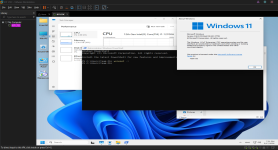
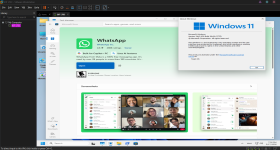
SCREENSHOTS
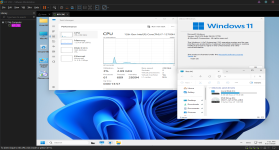
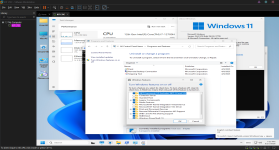
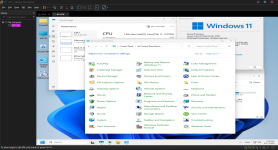
Attention!
This stripped-down version of Windows might occasionally try to install something from Microsoft via Windows Update (spoiler: it won’t succeed). It may force two additional restarts, then give up and move on with life.
Removed Components
Backup, BLB-Client – redundant services; Recovery itself is still intact.
BusinessScanning-Feature – not something a home user ever needs.
Disk-Diagnosis – who needs constant disk speed tests anyway?
IE-Troubleshooters – leftover telemetry from Internet Explorer.
IIS-WebServer – unless you’re hosting a web server on your PC, you don’t need this.
Indexing-Service – file indexing that every power user tries to disable first.
MediaPlayer Legacy – outdated Windows media player.
MSMQ-Client – we’re not even sure what this does, so it’s gone.
More useless stuff removed:
NFS-ClientSKU, OfflineFiles,
PeerToPeer (Microsoft’s weird P2P client),
Printing-XPSServices-RasRip (whatever that is),
RecDisc (Recovery Disc),
SecureStartup (aka BitLocker — the nightmare of many users),
ShareMedia-ControlPanel (who shares media like this in 2025?),
Shell-HomeGroup (just in case — removed),
SimpleTCP (if you’re not a network programmer, you don’t need it),
Plus: SNMP, Telnet, TFTP, WinOcr, WMI SNMP-Provider, Xps-Foundation.
Added
Yandex Browser with auto-install (included in the RU version).
Google Chrome installer (placed on Desktop in the EN version).
Configuration & Tweaks
All system requirements are disabled. But if you're still rocking a 775 socket, sorry — this build won’t boot.
All the crap like Defender, Kernel Isolation, SmartScreen — disabled and fully removed.
Performance patches that throttle gaming (like Meltdown/Spectre mitigations) — completely removed. Your CPU and GPU will finally breathe.
Telemetry tasks – disabled. Microsoft’s Task Scheduler is infamous for dragging down performance. Shut it all down and ripped it out.
Tons of UI fixes — like a proper right-click menu. Seriously, why did Microsoft make such a dumb context menu in Windows 11? Restored the classic one for sanity.
Copy/Move To – added right into the context menu. Select a file or folder, and send it wherever you want. A tiny change that saves huge time. Weird that Microsoft still hasn’t made this default.
Heads Up!
The pagefile is locked to 1 GB. If you’re on older hardware with limited RAM, switch it back to automatic or your system might freeze up when launching heavy games.
Additional Notes: Initial setup screen will be in Russian language, just click next button at bottom right side untill you see versions
If you're not a complete idiot, you understand that a trimmed-down build won’t always tick every single box. Maybe it’s right for you, maybe not. Don’t expect miracles — Windows 11 24H2 is getting pickier every year. You have to tame it like a stubborn donkey.
Most users just follow Microsoft’s lead like sheep. Smart ones aim for control and freedom.
Version: Windows 11 IoT LTSC 24H2 26100.3775 SuperLite Gamer Edition
Bit depth: 64-bit
Interface Language: ENG English, RUS Russian
Tablet: Recommend MAS HWID medicine
Original source: You do not have permission to view the full content of this post. Log in or register now.
Image size: 1.88 GB
You do not have permission to view the full content of this post. Log in or register now.