PH
PH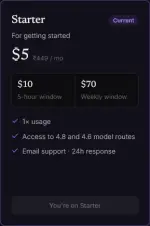
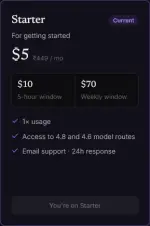
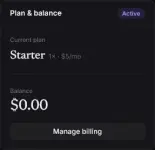
May FREE Starter Plan agad upon registration sa AeroLink. Pagkatapos mag-register, automatic naka-Starter Plan ka na at pwede mo nang gamitin sa Claude Code. No Credit Card Required
Register Here:
You do not have permission to view the full content of this post. Log in or register now.
Documentation:
You do not have permission to view the full content of this post. Log in or register now.
O sundan mo na lang itong quick setup guide:
1. Install Git Bash (Recommended)
Download at install ang Git for Windows gamit ang default settings.2. Install Node.js
Check muna ang version:
Code:
node --versionKung below 18.0.0, i-download ang latest LTS version ng Node.js.
3. Create an API Key
Pumunta sa API Keys page, gumawa ng bagong key, at i-copy ang generated API key.Important: Huwag i-share ang API key mo sa iba.
4. Install Claude Code
Code:
npm install -g @anthropic-ai/claude-code5. Create settings.json
Create the following file:
Code:
C:\Users<your_username>.claude\settings.jsonPaste this configuration:
Code:
{
"env": {
"ANTHROPIC_API_KEY": "YOUR_API_KEY",
"ANTHROPIC_BASE_URL": "https://capi.aerolink.lat/",
"CLAUDE_CODE_DISABLE_NONESSENTIAL_TRAFFIC": "1"
},
"permissions": {
"allow": [],
"deny": []
},
"apiKeyHelper": "echo 'YOUR_API_KEY'"
}
Palitan lamang ang YOUR_API_KEY ng API key na ginawa mo.
6. Launch Claude Code
Code:
claudeNotes
 FREE Starter Plan upon registration Claude Models supported Works with Claude Code No need for Anthropic billing setup
Feedback na lang kayo mga boss kung kumusta experience ninyo. Happy coding!