 PH
PH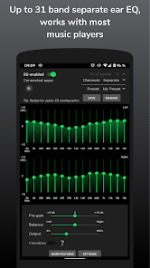
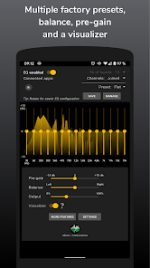
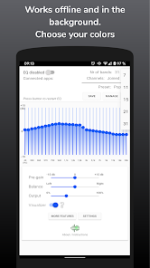
SpotEQ31 Application Overview
SpotEQ31 is an audio equalizer and media management tool designed for Android devices running version 9.0 (Pie) or higher. It provides precise frequency control, allowing users to configure sound output through a flexible range of bands (7 to 31 bands). The application is designed to address uneven headphone output or accommodate individual hearing requirements by allowing independent adjustment of frequency bands and volume balance for the left and right channels.Core Features
| Feature Category | Description |
|---|---|
| Equalization | 7-31 band adjustable equalizer; Joined or Separate side configuration. |
| Audio Processing | Multi-band compressor, Limiter, 3D sound stereo expansion, and Pre-gain volume control. |
| Media Player | Built-in media and podcast player with full device library access. |
| Preset Management | Multiple presets, custom save, and Export/Import functionality. |
| Utility | Background operation, headset connection triggers, notification volume control, and Visualizer. |
Technical Specifications
| Detail | Specification |
|---|---|
| Minimum OS | Android 9.0+ |
| Supported CPU | Armeabi-v7a, Arm64-v8a, X86, X86_64 |
| Supported DPI | Ldpi, Mdpi, Tvdpi, Hdpi, Xhdpi, Xxhdpi, Xxxhdpi |
| Languages | 14 selectable translations (including extensive regional support) |
Setup and Configuration
To ensure proper functionality, follow these steps:- Uninstall other equalizer applications to avoid audio effect conflicts.
- Enable SpotEQ31 within the app interface.
- Verify the background notification is active.
- Restart the target music player app and begin playback.
Recent Updates (Version 2.0+)
- Multi-band Compressor: Added support for saving dual-sided compressor settings independent of EQ presets.
- Localization: Added 14 app languages selectable via settings.
- Media Management: Browse and play tracks directly from the device's full media library.
- Onboarding: New onboarding screens for improved user guidance.
- Improvements: Consolidated management dialog settings and various bug fixes.
Disclaimer
This application is provided "as is" without warranty. Users operate the software at their own risk. Prolonged exposure to high-volume audio may result in permanent hearing damage or damage to playback hardware. This application maintains no affiliation with any other music player companies.Main link: Download Mirror link1: Download