 PH
PH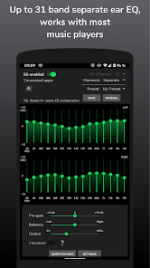
SpotEQ31: Advanced Dual-Channel Equalizer
SpotEQ31 is a highly customizable audio equalizer application featuring independent left/right ear configurations, built-in media/podcast playback functionality, and support for multi-band compression.Technical Specifications & Compatibility
| Specification | Details |
|---|---|
| OS Requirement | Android 9 (Pie) and up (Synced with iOS app version) |
| App Version | 2.0+ (Includes built-in media and podcast player) |
| EQ Bands | 7, 11, 15, 21, or 31 center-frequency bands (customizable from 7 to 41 bands) |
| Monetization Model | Free tier (core EQ functional) / One-time fee (basic features & custom presets) / Premium subscription |
Core Features
- Dual-Channel Equalization: Configure EQ bands globally (joined) or separately for the left and right audio channels to balance uneven headphones or compensate for asymmetric hearing impairment.
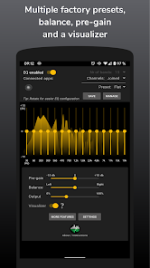
- Preset Management: Multiple built-in audio presets with support for creating, saving, exporting, and importing custom configurations. Automatic preset updates upon headset connection.
- Audio Enhancement Tools: Integrated limiter, 3D sound stereo expansion, pre-gain volume control for loudness adjustment, and an audio visualizer.
- Multi-Band Compressor: Dual-sided compressor settings that can be saved independently of standard EQ presets.
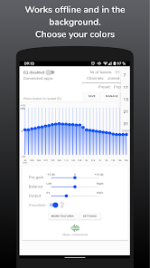
- Background Operation: Runs as a background service for long-running audio sessions with active status indicators and volume control directly from the notification shade.
- Media Library Integration: Ability to browse and play audio tracks directly from the local device media library.
- Localization: Multi-language support with 14 selectable app translations.
Setup and Configuration Guide
To ensure proper audio processing Hook-in, follow these installation steps:- Uninstall Conflicting Apps: Remove other active equalizer applications to prevent audio effect processing conflicts.
- Initialize Service: Press the ENABLE toggle within SpotEQ31. A persistent notification will confirm the background service is running.
- Restart Audio Player: Force-stop and restart your preferred music player app, then begin playback. Verify the connection by toggling the "Low Cut" preset.
Disclaimer
This software is provided "as is" without warranties of any kind. High volume levels can cause permanent hearing damage or equipment failure; caution is advised when configuring pre-gain and frequency bands. SpotEQ31 operates independently and maintains no official affiliation with any third-party media player platforms or companies.Main link: Download Mirror link1: Download

.webp "(ditto) :(ditto):")
