PH
PH- Noweeee -
Elite
Gamit ka 360 camera mapa Insta360, DJI 360 any as long 360
Contribute Updated Map : You do not have permission to view the full content of this post. Log in or register now.
Kung walang GPS no data found, punta ka dito: You do not have permission to view the full content of this post. Log in or register now. kunin mo destination coordinates download and rename mo track.gpx make sure kung saan ka nag start and stop sa location.
then download ka FFmpeg and use this command ffprobe -i VID_20260613_100100_00_001.mp4 -show_format 2>nul | findstr duration
finally pa revise mo kay GPT itong script gpx.ps1 pag nakuha mo na duration ng video
Powershell save as gpx.ps1
open cmd run > powershell -ExecutionPolicy Bypass -File gpx.ps1
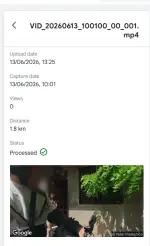
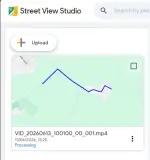
Then upload mo na sa Street View Studio yung video kasama yung GPX file. Kapag lumagpas na ng 1 hour, meaning successful na yan sa first validation automation ni Google. Kapag maikli ang duration, usually it takes around 1 week. Kapag mahaba naman, it can take several weeks dahil sa mas matagal na process ng pagba-blur ng images, mga tao, plate numbers, at iba pang sensitive details.
Contribute Updated Map : You do not have permission to view the full content of this post. Log in or register now.
Kung walang GPS no data found, punta ka dito: You do not have permission to view the full content of this post. Log in or register now. kunin mo destination coordinates download and rename mo track.gpx make sure kung saan ka nag start and stop sa location.
then download ka FFmpeg and use this command ffprobe -i VID_20260613_100100_00_001.mp4 -show_format 2>nul | findstr duration
finally pa revise mo kay GPT itong script gpx.ps1 pag nakuha mo na duration ng video
Powershell save as gpx.ps1
Code:
[xml]$gpx = Get-Content .\track.gpx

$pts = $gpx.gpx.trk.trkseg.trkpt
$start = [DateTimeOffset]::Parse("2026-06-13T02:01:00Z")
$step = 208.208 / ($pts.Count - 1)

for ($i=0; $i -lt $pts.Count; $i++) {

    $t = $start.AddSeconds($i * $step).UtcDateTime.ToString("yyyy-MM-ddTHH:mm:ssZ")

    $timeNode = $gpx.CreateElement("time",$gpx.DocumentElement.NamespaceURI)
    $timeNode.InnerText = $t

    $pts[$i].InsertBefore($timeNode,$pts[$i].FirstChild) | Out-Null
}

$gpx.Save("gpx.gpx")Then upload mo na sa Street View Studio yung video kasama yung GPX file. Kapag lumagpas na ng 1 hour, meaning successful na yan sa first validation automation ni Google. Kapag maikli ang duration, usually it takes around 1 week. Kapag mahaba naman, it can take several weeks dahil sa mas matagal na process ng pagba-blur ng images, mga tao, plate numbers, at iba pang sensitive details.