PH
PH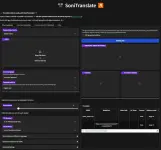
Share ko lng ung mga hilig mag dub pwede sa wendow at google colab
for windows You do not have permission to view the full content of this post. Log in or register now.
google colab You do not have permission to view the full content of this post. Log in or register now.
ito ang tut para sa wendows
------------------------------tut---------------------------------------------------------------
## Install Locally Windows
### Before You Start
Before you start installing and using SoniTranslate, there are a few things you need to do:
1. Install Microsoft Visual C++ Build Tools, MSVC and Windows 10 SDK:
* Go to the You do not have permission to view the full content of this post. Log in or register now.; Or maybe you already have Visual Studio Installer? Open it. If you have it already click modify.
* Download and install the "Build Tools for Visual Studio" if you don't have it.
* During installation, under "Workloads", select "C++ build tools" and ensure the latest versions of "MSVCv142 - VS 2019 C++ x64/x86 build tools" and "Windows 10 SDK" are selected ("Windows 11 SDK" if you are using Windows 11); OR go to individual components and find those two listed.
* Complete the installation.
2. Verify the NVIDIA driver on Windows using the command line:
* Open Command Prompt: Press
Win + R, type cmd, then press Enter.* Type the command:
nvidia-smi and press Enter.* Look for "CUDA Version" in the output.
Code:
+-----------------------------------------------------------------------------+
| NVIDIA-SMI 522.25       Driver Version: 522.25       CUDA Version: 11.8     |
|-------------------------------+----------------------+----------------------+
3. If you see that your CUDA version is less than 11.8, you should update your NVIDIA driver. Visit the NVIDIA website's driver download page (You do not have permission to view the full content of this post. Log in or register now.) and enter your graphics card information.
4. Accept the license agreement for using Pyannote. You need to have an account on Hugging Face and
accept the license to use the models: You do not have permission to view the full content of this post.
Log in or register now. and You do not have permission to view the full content of this post.
Log in or register now.5. Create a You do not have permission to view the full content of this post. Log in or register now.. Hugging Face is a natural language processing platform that provides access to state-of-the-art models and tools. You will need to create a token in order to use some of the automatic model download features in SoniTranslate. Follow the instructions on the Hugging Face website to create a token.
6. Install You do not have permission to view the full content of this post. Log in or register now. or You do not have permission to view the full content of this post. Log in or register now.. Anaconda is a free and open-source distribution of Python and R. It includes a package manager called conda that makes it easy to install and manage Python environments and packages. Follow the instructions on the Anaconda website to download and install Anaconda on your system.
7. Install Git for your system. Git is a version control system that helps you track changes to your code and collaborate with other developers. You can install Git with Anaconda by running
conda install -c anaconda git -y in your terminal (Do this after step 1 in the following section.). If you have trouble installing Git via Anaconda, you can use the following link instead:- You do not have permission to view the full content of this post. Log in or register now.
Once you have completed these steps, you will be ready to install SoniTranslate.
### Getting Started
To install SoniTranslate, follow these steps:
1. Create a suitable anaconda environment for SoniTranslate and activate it:
Code:
conda create -n sonitr python=3.10 -y
conda activate sonitr
2. Clone this github repository and navigate to it:
Code:
git clone https://github.com/r3gm/SoniTranslate.git
cd SoniTranslate
Code:
conda install -c "nvidia/label/cuda-11.8.0" cuda-toolkit -y4. Install PyTorch using conda
Code:
conda install pytorch torchvision torchaudio pytorch-cuda=11.8 -c pytorch -c nvidia -ypip3 install torch torchaudio torchvision --index-url You do not have permission to view the full content of this post. Log in or register now.
5. Install required packages:
Code:
pip install -r requirements_base.txt -v
pip install -r requirements_extra.txt -v
pip install onnxruntime-gpu
6. Install You do not have permission to view the full content of this post. Log in or register now.. FFmpeg is a free software project that produces libraries and programs for handling multimedia data. You will need it to process audio and video files. You can install ffmpeg with Anaconda by running
conda install -y ffmpeg in your terminal (recommended). If you have trouble installing ffmpeg via Anaconda, you can use the following link instead: (You do not have permission to view the full content of this post.
Log in or register now.). Once it is installed, make sure it is in your PATH by running ffmpeg -h in your terminal. If you don't get an error message, you're good to go.7. Optional install:
After installing FFmpeg, you can install these optional packages.
You do not have permission to view the full content of this post. Log in or register now. is a text-to-speech (TTS) model that lets you generate realistic voices in different languages. It can clone voices with just a short audio clip, even speak in a different language! It's like having a personal voice mimic for any text you need spoken.
Code:
pip install -q -r requirements_xtts.txt
pip install -q TTS==0.21.1  --no-deps
You do not have permission to view the full content of this post. Log in or register now. is a fast, local neural text to speech system that sounds great and is optimized for the Raspberry Pi 4. Piper is used in a variety of projects. Voices are trained with VITS and exported to the onnxruntime.
 For Windows users, it's important to note that the Python module piper-tts is not fully supported on this operating system. While it works smoothly on Linux, Windows compatibility is currently experimental. If you still wish to install it on Windows, you can follow this experimental method:
Code:
pip install https://github.com/R3gm/piper-phonemize/releases/download/1.2.0/piper_phonemize-1.2.0-cp310-cp310-win_amd64.whl
pip install sherpa-onnx==1.9.12
pip install piper-tts==1.2.0 --no-deps
8. Setting your You do not have permission to view the full content of this post. Log in or register now. as an environment variable in quotes:
Code:
conda env config vars set YOUR_HF_TOKEN="YOUR_HUGGING_FACE_TOKEN_HERE"
conda deactivate
### Running SoniTranslate
To run SoniTranslate locally, make sure the
sonitr conda environment is active:
Code:
conda activate sonitrThen navigate to the
SoniTranslate folder and run either the app_rvc.py
Code:
python app_rvc.pylocal URL http://127.0.0.1:7860 is displayed in the terminal, simply open this URL in your web browser to access the SoniTranslate interface.### Stop and close SoniTranslate.
In most environments, you can stop the execution by pressing Ctrl+C in the terminal where you launched the script
app_rvc.py. This will interrupt the program and stop the Gradio app.To deactivate the Conda environment, you can use the following command:
Code:
conda deactivateThis will deactivate the currently active Conda environment sonitr, and you'll return to the base environment or the global Python environment.
### Starting Over
If you need to start over from scratch, you can delete the
SoniTranslate folder and remove the sonitr conda environment with the following set of commands:
Code:
conda deactivate
conda env remove -n sonitr
With the
sonitr environment removed, you can start over with a fresh installation.### Notes
- To use OpenAI's GPT API for translation, set up your OpenAI API key as an environment variable in quotes:
Code:
conda activate sonitr
conda env config vars set OPENAI_API_KEY="your-api-key-here"
conda deactivate
- Alternatively, you can install the CUDA Toolkit 11.8.0 directly on your system You do not have permission to view the full content of this post. Log in or register now..