PH
PHEDIT:2026-09-13 UPDATE from VLAD: Anyone who wants to keep playing Reforged, do not update right now. There is currently no way to play the new Reforged v3.0!
EDIT: 2026-09-01 v0.0.3 updates: see my topic reply on this same thread: (https://phcorner.org/threads/2544307/#post-31901678)
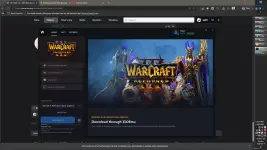
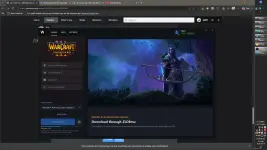
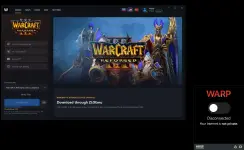
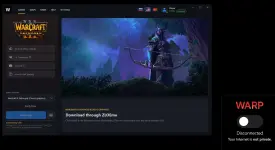
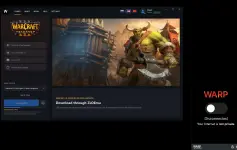
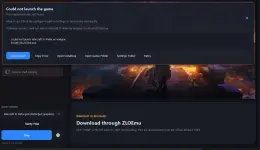
All in one app for Warcraft III Reforged latest version CDN Tool/Downloader (alternative to BlizzGet/28GB and shuen's WarcraftIIISD/7GB Reforged Online - Bulit-in MultiPlay - Russian/EU MP Online Server - but can be played with RadminVPN for alternate multiplay via p2p LAN.)
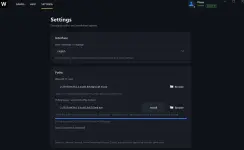
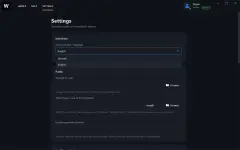
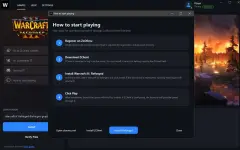
To change from Russian to English language (click 3rd option from top 3 main tabs, then on the first dropdown option click on English) See image below.
Another NOTE! You Also Need to change game locale from RU to EN or (all locale if you prefer non-Russian, non-English game locales) on lower options on same settings tab, then SAVE (big button on bottom of dialog window, scroll further down to find it) before proceeding to download the whole game via built-in CDN:
ZLOEmuLauncher Beta
Features
 Portable (no installation required)
Automatic Warcraft III: Reforged installation from Blizzard CDN
Resume downloads, verify and repair files
Automatic ZClient installation
One-click launch through ZClient
World Editor support
Russian & English interface
D1sc0rd Rich Presence
Auto-updates and diagnostics tools
Getting Started
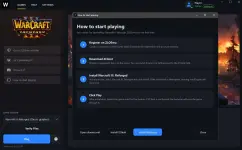
1. Extract the archive
2. Run ZLOEmuLauncher.exe
3. Click Install
4. Click Launch
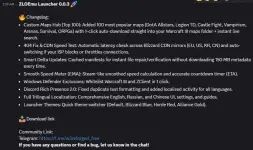
2026-06-08 version 0.0.2
What's New:
 Added the ability to download the game without Reforged graphics. This version is only 7 GB instead of 28 GB!
Added a quick shortcut to open the maps folder directly from the launcher.
Mirror Mediafire Download Link:
You do not have permission to view the full content of this post. Log in or register now.
CTTO: dev comments/feedbacks & full credits belong to Vlad (@bloodyslave of w3reforged zlo d1sc0rd)
EDIT: 2026-09-01 v0.0.3 updates: see my topic reply on this same thread: (https://phcorner.org/threads/2544307/#post-31901678)
All in one app for Warcraft III Reforged latest version CDN Tool/Downloader (alternative to BlizzGet/28GB and shuen's WarcraftIIISD/7GB Reforged Online - Bulit-in MultiPlay - Russian/EU MP Online Server - but can be played with RadminVPN for alternate multiplay via p2p LAN.)
To change from Russian to English language (click 3rd option from top 3 main tabs, then on the first dropdown option click on English) See image below.
Another NOTE! You Also Need to change game locale from RU to EN or (all locale if you prefer non-Russian, non-English game locales) on lower options on same settings tab, then SAVE (big button on bottom of dialog window, scroll further down to find it) before proceeding to download the whole game via built-in CDN:
ZLOEmuLauncher Beta
Features
Portable (no installation required) Automatic Warcraft III: Reforged installation from Blizzard CDN Resume downloads, verify and repair files Automatic ZClient installation One-click launch through ZClient World Editor support Russian & English interface D1sc0rd Rich Presence Auto-updates and diagnostics toolsGetting Started
1. Extract the archive
2. Run ZLOEmuLauncher.exe
3. Click Install
4. Click Launch
2026-06-08 version 0.0.2
What's New:
Added the ability to download the game without Reforged graphics. This version is only 7 GB instead of 28 GB! Added a quick shortcut to open the maps folder directly from the launcher. Mirror Mediafire Download Link:
You do not have permission to view the full content of this post. Log in or register now.
CTTO: dev comments/feedbacks & full credits belong to Vlad (@bloodyslave of w3reforged zlo d1sc0rd)

 Direct Link [MF] Latest v2.0.4.23745 of Warcraft III Reforged 7GB SD/Classic Mode Only instead of 30GB...