 PH
PH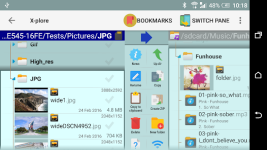
X-plore File Manager
Technical Overview
- Required Android Version: 8.0+
- Interface: Dual-pane tree view for simultaneous folder viewing and hierarchical navigation.
- User Modes: Root access capabilities for system data modifications (backup, application removal) or standard mode with hidden internal system memory.
Specifications & Protocol Support
| Category | Supported Features / Protocols |
|---|---|
| Network & Servers | FTP, FTPS (Secure FTP), SMB1, SMB2, SFTP, SSH Shell Terminal Emulator, DLNA/UPnP |
| Cloud Storage | Google Drive, OneDrive, Dropbox, Box, WebDAV, and others |
| Archive Formats | Zip (view, compress, extract), Rar (view, extract), 7zip (view, extract), APK (view as ZIP) |
| Local / Hardware | USB OTG, Mass Storage, Local Device Storage |
| Database | SQLite database viewer (.db files viewed as expandable tables, rows, and columns) |
Feature Breakdown
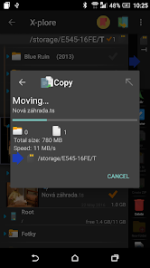
- File Management: Batch rename, copy, move, delete, multi-selection, and sharing via system-supported protocols (Bluetooth, email).
- Built-in Viewers & Players:
- Fast image viewer with zoom, slide navigation, and thumbnails.
- Audio/Music player (accessible from any storage location).
- Video player with subtitle support.
- PDF viewer and Text viewer.
- Hex viewer.
- Security: Vault function for file encryption (supports fingerprint authentication).
- System Tools: Application manager (view, run, copy, share, uninstall).
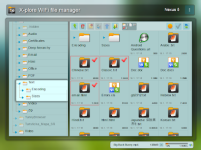
- Connectivity: WiFi file sharing between Android devices; PC web browser integration for remote file management.
- Customization: Configurable buttons and key shortcuts.
Release Notes & Modification Details
- Changelog: No changelog provided.
- Modification State:
- Premium / Donate / ρáíd features unlocked.
- Firebase Analytics and Firebase Crashlytics removed.
- Manifest optimized (non-essential receivers, permissions, activities, services, providers, and meta-data removed).

.webp "(ditto) :(ditto):")
