 PH
PH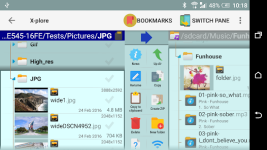
X-plore File Manager
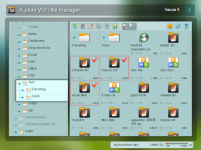
X-plore is a dual-pane file manager featuring a hierarchical tree view for navigating local and remote file systems. It supports root access, cloud storage integration, and various network protocols.Technical Specifications
| Feature | Details |
| Android Version | 8.0+ |
| Interface | Dual-pane tree view |
| Archives | Zip (as folder), Rar, 7zip, APK (as Zip) |
| Network & Protocols | FTP, FTPS, SMB1 / SMB2, SFTP, SSH Shell, DLNA/UPnP |
| Cloud Support | Google Drive, OneDrive, Dropbox, Box, Webdav, etc. |
| Database Support | SQLite database viewer (.db files) |
| Security | Vault for file encryption (supports fingerprint) |
Core Features
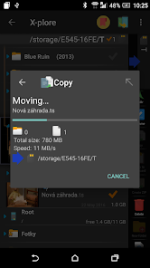
- File Management: Copy, move, delete, batch rename, and multi-selection support.
- Disk Map: Visual representation of disk space consumption.
- App Manager: View, run, copy, share, and uninstall applications.
- Media Support: Built-in players for music and video (with subtitles); viewers for images, hex, text, and PDF.
- Connectivity: WiFi file sharing between Android devices; PC web browser management.
- Hardware Support: USB OTG for external storage access.
- Customization: Configurable buttons and keyboard shortcuts.
Version Updates
- Added folder path bar.
- Improved pane rendering.
- Enhanced image viewer interface.
Modification Details
| Component | Status |
| Premium Features | Donate / ρáíd features unlocked |
| Analytics/Crash Reporting | Firebase Analytics & Crashlytics removed |
| Manifest Optimization | Non-essential receivers, permissions, and services removed |
| Rendering | Improved pane rendering |