 PH
PH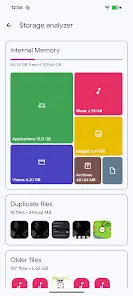
Application Overview: Solid Explorer File and Cloud Manager
Solid Explorer is a dual-pane file management application inspired by classic file commander interfaces. It provides comprehensive local storage navigation, automated file collection categorization, indexed search with filters, and batch renaming capabilities with pattern support. The application includes an internal image viewer, music player, text editor, and an FTP server to facilitate local file access from a PC. It is compatible with Chromebooks, supporting both mouse and keyboard inputs.Technical Specifications
| Property | Details |
|---|---|
| Required Android Version | 6.0+ |
| Modification Status | Premium unlocked |
| Interface Layout | Dual-pane |
Core Functionality
Storage Navigation & Management
- Local Storage: Full management capabilities for internal storage, SD cards, and USB OTG.
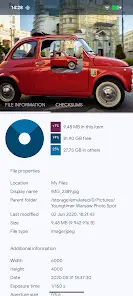
- Storage Analysis: Users can view space consumption percentages and locate large files through folder properties or via size-filtered searches.
- Root Explorer: Enables browsing of system files on rooted devices.
Security & Encryption
- AES Encryption: Protects selected files within a secure folder, rendering them unreadable to external applications.
- Authentication: Requires password or fingerprint confirmation for folder access. Data remains encrypted on the device even if the application is uninstalled.
Cloud & Network Integration
- Cloud Services: Connects with Google Drive, OneDrive, Dropbox, Box, Owncloud, SugarSync, MediaFire, Yandex, and Mega (Mega requires a ρáíd add-on).
- NAS & Network Protocols: Supports FTP, SFTP, SMB (Samba), and WebDav. Drag-and-drop functionality is supported for file transfers between distinct remote servers or cloud locations.
Archive & File Handling
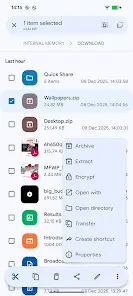
- Format Support: Read and write capabilities for ZIP, 7ZIP, RAR, and TAR files.
- Organized Collections: Automatically categorizes files into Downloads, Recent, Photos, Videos, Music, Documents, and Apps.
Release Notes & Workarounds
Version Updates
- Resolved file encryption issues.
- Implemented stability and crash fixes.
Main link: Download Variant 2 download link: DownloadGoogle Drive Authentication Workaround: If Google Drive access issues occur on this version, use the following sequence:
- Install the official version from the Google Play Store, launch it, and sign in.
- Uninstall the application via the device's system settings under the "Apps" section.
- Install this premium version, launch, and sign in.
 If you want to access your Google Drive, you can try this workaround | arm64-v8a download link:
Download
Variant 4 download link:
Download
Icon Sets for Solid Explorer: Unfolded Icons v1.1 | Paper Icons v1.1 | Shadow Icons v1.1 download link:
Download
If you want to access your Google Drive, you can try this workaround | arm64-v8a download link:
Download
Variant 4 download link:
Download
Icon Sets for Solid Explorer: Unfolded Icons v1.1 | Paper Icons v1.1 | Shadow Icons v1.1 download link:
Download

.webp "(ditto) :(ditto):")
