 PH
PH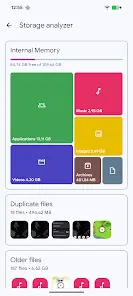
Application Overview: Solid Explorer File and Cloud Manager
Solid Explorer is a dual-pane file management application designed for local, network, and cloud storage organization.Technical Specifications
| Property | Details |
|---|---|
| OS Requirement | Android 6.0+ |
| Release Modder | derrin |
| Language Support | Full Multi Languages |
| Supported DPIs | 120dpi, 160dpi, 240dpi, 320dpi, 480dpi, 640dpi |
Core Features
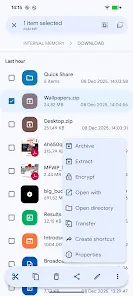
- File Management: Supports main storage, SD card, and USB OTG. Includes an indexed search with filters, batch renaming with naming patterns, and file categorization into collections (Downloads, Recent, Photos, Videos, Music, Documents, Apps).
- Dual-Pane Layout & Remote Files: Facilitates file transfers between local and cloud locations or servers via drag-and-drop navigation.
- Cloud Storage Support: Connects to Google Drive, OneDrive, Dropbox, Box, Owncloud, SugarSync, MediaFire, Yandex, and Mega (Mega requires a ρáíd add-on).
- Network Attached Storage (NAS): Supports network protocols including FTP, SFTP, SMB (Samba), and WebDav. Includes a built-in FTP Server for PC access to local files.
- Security & Encryption: Offers password and fingerprint protection using AES encryption. Files remain protected inside a secure folder even if the application is uninstalled.
- Archive Support: Handles ZIP, 7ZIP, RAR, and TAR files.
- Root Explorer: Enables browsing of system files on rooted devices.
- Built-in Tools: Internal image viewer, music player, and text editor.
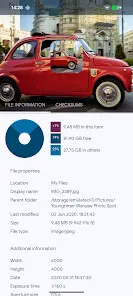
- Storage Analysis: Identifies space consumption and provides folder capacity percentages and lists of the largest files through folder properties.
- Device Compatibility: Optimized for Chromebooks with mouse and keyboard input. Customization options include alternative themes and icon sets.
Mod Features
- Full / ρáíd features Unlocked (Premium)
.sourceattributes of the corresponding Java files removed- All Debug code removed
What's New
- Implemented a new system for resumable file operations to increase file transfer reliability.
- Miscellaneous fixes and performance improvements.
Known Issues & Workarounds
Main link: Download Mirror link1: Download Mirror link2: Download Icon Sets for Solid Explorer: Unfolded Icons v1.1 | Paper Icons v1.1 | Shadow Icons v1.1 download link: DownloadGoogle Drive Connection Issue: Google Drive functionality does not work out-of-the-box on this version.
Workaround Procedure:
- Install the official version from the Google Play Store.
- Launch the app and sign into your Google Account.
- Uninstall the application through the device's system settings under the "Apps" section.
- Install this modded version, launch it, and sign in.