 PH
PH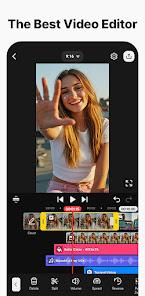
Kínémás†ér - Video Editor v8.1.12.36540.GP [Premium]
Technical Specifications
| Property | Details |
|---|---|
| OS Requirement | Android 8.0+ |
| Architecture | arm7 + arm64 |
| File Size | 138.8 MB |
| SHA-256 | 2d60ead8c32b59b2ad112d1810c7c9b8f35dee7293d7c4ce688c8f0b2c884765 |
| Notes | Premium features function in offline mode.Built-in DocumentsProvider for application data access.Hook may have device compatibility limitations.Important: A clean install is required if updating from versions prior to v8.1.9.36502.GP. Backup projects before proceeding. |
Key Features
AI Tools
- AI Auto Captions: Generates subtitles instantly from video or audio tracks.
- AI Text-to-Speech: Converts text into spoken audio with a single tap.
- AI Voice: Applies unique voice modulations to audio tracks.
- AI Music Match: Recommends appropriate background music.
- AI Magic Removal: Isolates subjects by cutting out backgrounds around people and faces.
- AI Noise Removal: Filters out distracting background sounds from video or audio.
- AI Vocal Separator: Splits audio tracks into isolated vocals and instrumental music.
- AI Tracking: Anchors text and stickers to moving objects within the frame.
- AI Upscaling: Enhances the resolution of low-quality media assets.
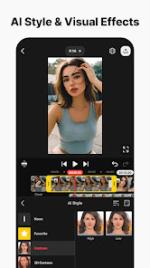
- AI Style: Applies artistic visual effects to images and videos.
Core Editing & Animation
- Keyframe Animation: Complete control over the size, position, and rotation of individual layers.
- Chroma Key (Green Screen): Background removal tool for video compositing.
- Speed Control: Adjustable playback speeds supporting reverse, slow-motion, and time-lapse creation.
- Multi-Layer Timeline: Supports stacking and simultaneous playback of photos, videos, and GIFs.
- Precision Utilities: Features orientation support (portrait and landscape), multiple undo/redo history, magnetic snapping guides, and full-screen previews.
Templates & Cloud Integration
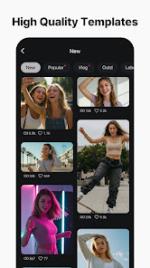
- Project Templates: Thousands of pre-made project configurations available for media replacement.
- Mix: Allows projects to be exported and shared globally as reusable templates.
- KineCloud: Cloud backup functionality for cross-device project syncing and storage.
Asset Store Integration
- Visual Enhancements: Ready-to-use effects, transitions, stickers, clip graphics, and color filters.
- Audio Assets: Library of built-in music tracks and SFX.
- Stock Media: Access to pre-made green screen effects, background footage, and stock graphics.
- Typography: Large variety of design-ready fonts.
Output Capabilities
- High-Resolution Export: Supports rendering up to 4K resolution at 60 FPS.
- Social Optimization: Configurable compression settings tailored for social media platform uploads.
- Alpha Channel Support: Export options with transparent backgrounds for external compositing.
What's New
- Text UI Overhaul: Direct input, revision, styling, and formatting capabilities implemented on the Preview screen.
- New Text Animation: Integrated word-by-word text animation rendering.