 PH
PH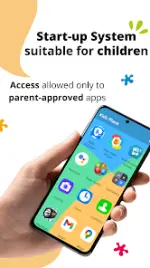
Application Overview
Kids Place is a dedicated Kids Mode launcher and parental control application designed to create a secure, restricted environment on Android devices. The app regulates access by managing app package names directly; it operates on rule-based blocking rather than scanning internal app content.Technical Specifications
| Parameter | Details |
|---|---|
| Version | v3.9.96 b946 |
| Architecture | Universal |
| File Size | 18.7 MB |
| SHA-256 Hash | 36526053d9a4d9c5838ae4f55d4485b98f95db549a841b1173e0f743b8467983 |
| Changelog | Performance improvements |
Key Features
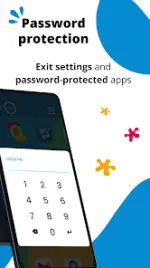
- Kids Mode Launcher: Restricts the device interface to a custom home screen displaying only parent-approved applications. Exiting the environment requires a secure PIN.
- App Blocker: Controls application visibility and execution by blocking unauthorized packages.
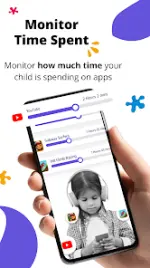
- Screen Time Management: Sets daily usage limits globally for the device or granularly for individual applications.
- Purchase & Download Restriction: Disables accidental or unauthorized Google Play Store downloads and in-app purchases.
Feature Tier Comparison
| Feature | Free Tier | Premium Tier (Included in Mod) |
|---|---|---|
| Child-Friendly Launcher | Available | Available |
| App-Level Blocking | Available | Available |
| Multiple Child Profiles | Unavailable | Available |
| Flexible Screen Time Controls | Unavailable | Available |
| Background Mode (Stock Launcher) | Unavailable | Available |
| Tamper Protection (Persist on Reboot) | Unavailable | Available |
Required Permissions & Disclosures
- Device Administrator Permission (Optional): Prevents unauthorized uninstallation of the application by children to ensure continuous enforcement of restrictions.
- Accessibility Service Permission (Optional): Utilized to lock the system notification bar and prevent users from bypassing the Kids Mode environment.