 PH
PH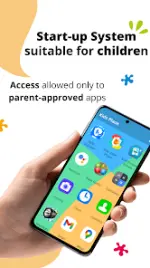
App Overview: Kids Place - Parental Control & Kids Mode
Kids Place is a dedicated launcher designed to create a secure environment for children on Android devices. The application implements rule-based access control using app package names to restrict usage to parent-approved software. It does not monitor internal app content, focusing instead on environment-level management.Technical Specifications
| Feature | Details |
|---|---|
| Version | v3.9.89 b939 [Premium] |
| Architecture | Universal |
| File Size | 18.8 MB |
| SHA-256 | 88595a65843c6d803e534f394e4b1fc02bef0dea2a14b239f36aa1d1bf163422 |
| Recent Changes | Upgraded play-age-signalsapi to 0.0.3 for Brazil Digital ECA |
Core Functionality
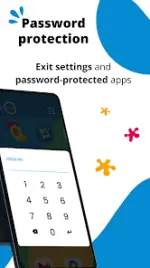
- Kids Mode Launcher: Replaces the standard home screen with a restricted interface. Users cannot exit the environment without a PIN.
- App Management: Allows granular control over which applications are visible and accessible.
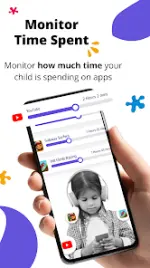
- Screen Time Management: Enables the configuration of daily time limits for the entire device or specific applications.
- Security Restrictions: Blocks access to the Play Store to prevent unauthorized downloads and in-app purchases.
Version Comparison
| Feature | Free Version | Premium Version |
|---|---|---|
| Custom Launcher | Included | Included |
| App Blocking | Included | Included |
| Multi-Child Profiles | No | Included |
| Advanced Time Limits | Basic | Flexible/Individual App Limits |
| Background Mode | No | Run with stock launcher |
| Tamper Protection | No | Auto-restart on reboot |
Permissions & System Integration
- Device Administrator (Optional): Used to prevent unauthorized uninstallation by children.
- Accessibility Service (Optional): Utilized to lock the notification bar and prevent users from navigating away from the Kids Mode interface.
- Privacy: Access is restricted to enforcing parental control rules; no app content is read or analyzed.