 PH
PHdiscuss3387
Established

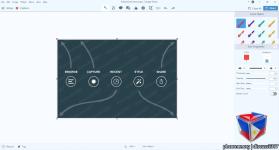
Description
TechSmith Snagit lets you quickly capture a process, add your explanation, and create visual instructions. Snagit is also the only screen capture tool with built-in advanced image editing and screen recording. So you can easily create high-quality images and videos all in one program. Quickly explain a process, build visual-based documentation and be more engaging by adding images and videos to your communications.
Show customers and coworkers how to do something with screenshots and videos.
Mark up your screenshots, trim your video, or use a template to create visual instructions and guides.
Get over 15 sharing outputs and a built-in library with lifetime access to keep all of your images and videos organized.
Capture your entire desktop, a region, a window, or a scrolling screen.
Take a full-page, scrolling screenshot. Snagit makes it simple to grab vertical and horizontal scrolls, infinitely scrolling webpages, long chat messages, and everything in between.
Extract the text from a screen capture or file and quickly paste it into another document for edits. Easily copy information without retyping all the text.
Snagit's screen recorder lets you quickly record yourself working through steps. Or grab individual frames out of the recorded video. Save your video file as an mp4 or animated GIF.
Toggle between webcam and screen recording during a video. Use the recorder to add a personal touch with teammates or clients, no matter where they are.
Include audio in your videos from either a microphone or your computer's system audio.
Details
- File Size: 408 MB
Download Links
You do not have permission to view the full content of this post. Log in or register now.
You do not have permission to view the full content of this post. Log in or register now.