 PH
PHdiscuss3387
Established

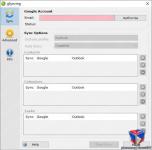
Description
If you have a Google account you certainly know its benefits. Google services are available by default on mobile devices like Android, iOS or Windows Phone smartphones and tablets and on desktop platforms like PC or MAC via browsers. Your contacts and calendars are automatically synchronized between all devices. However, neither Google nor Microsoft provide a service to sync your data with your favorite email client - Microsoft Outlook. gSyncing allows you to synchronize your Outlook contacts, calendars, and tasks with your Google account and other supported services like smartphones and tablets running on iOS, Android, Windows Phone, etc.
Would you like to combine and use functions of both services? Would not it be nice to have a GMail Outlook sync app or to sync Google contacts with Outlook? Sync Outlook with Google and take the maximum comfort of them. For example, sync Outlook calendar with Google calendar. You can easily use Gmail account while you are travelling, and then continue using Outlook on your desktop PC. Syncing of Google contacts with Outlook helps you access and manage contacts on any device.
gSyncing is a Google Outlook sync tool. The program runs on different Windows versions with different Outlook 2016, 2013 or even 2003. A simple user interface allows to sync Outlook data with Google without any problems, in order to sync GMail with Outlook. You can create shared calendars or contacts in a selected group of participants, and nobody of your colleagues will miss an important event. Synchronization of Outlook with Google can be one- or two-way with a protection of sudden deletions. Using this option, you protect your information from possible losses. gSyncing automatically detects all changes in Outlook and Google and synchronizes them.
- Sync Google contacts, calendars, and tasks with Outlook
- Share calendars, contacts, and tasks in a team
In today's world, we have to choose sometimes between functionality, safety, speed and many other parameters of modern email managers like Outlook and Gmail. Why to make concessions, when you can use all their advantages at once? If you wonder whether Google apps sync Outlook, tools for Google Outlook sync may help you in this matter. Nowadays, these are two of the most popular email services, which became not only perfect means for communication, but also a personal assistant.
Modern Outlook and Google services offer many useful solutions for businesses. Each of them has their own advantages and disadvantages. Google has the following benefits
- It is not bound to a particular workplace. Google mail is available everywhere via Internet, although it has limitations on data size of 10 GB.
- Possibility to store and share documents.
However, limitations of the document sizes, the requirement of having a permanent Internet connection, and the low confidentiality of information have a huge negative impact on Google services. Outlook has the following benefits
Details
- File Size: 9.11 MB
Download Links
You do not have permission to view the full content of this post. Log in or register now.
You do not have permission to view the full content of this post. Log in or register now.