 PH
PHdiscuss3387
Established

Description
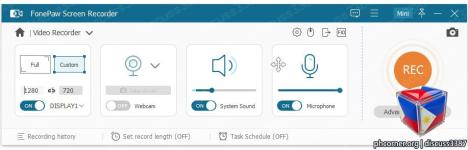
FonePaw Screen Recorder, a professional video screen recording software will capture your screen for Windows computer in several steps. Create your own video for specific region/webcam with or without audios here.
What You Can Do with FonePaw Screen Recorder?
Record screen and audio togther from both systems and Microphones. For Mac, system sound is not supported now.
It is possible to record your webcam video only or along with screen activity.
One click to capture your desktop or get a snapshot from the recording video.
Create the unique video with drawing or adding texts, arrows to the recording or screenshot.
Select the entire computer screen or part of it to begin your capturing.
Make cursor stand out and show the mouse clicks to customize your recordings.
The recorded videos can be saved in different video formats in output settings. MP4 is recommended.
The output video and audio quality can be set as High, Medium and Low.
Details
- File Size: 101 MB
Download Links
You do not have permission to view the full content of this post. Log in or register now.
You do not have permission to view the full content of this post. Log in or register now.